
Spending Analytics
See exactly where your money goes — by category, by month.
Arjun spent ₹8,400 last month. Food was 52%, transport 18%, entertainment 20%. Spending Analytics breaks down every expense into visual charts so Arjun and Divya can see trends, spot overspending, and make smarter decisions.
How it works
Every rupee tracked, every trend visible
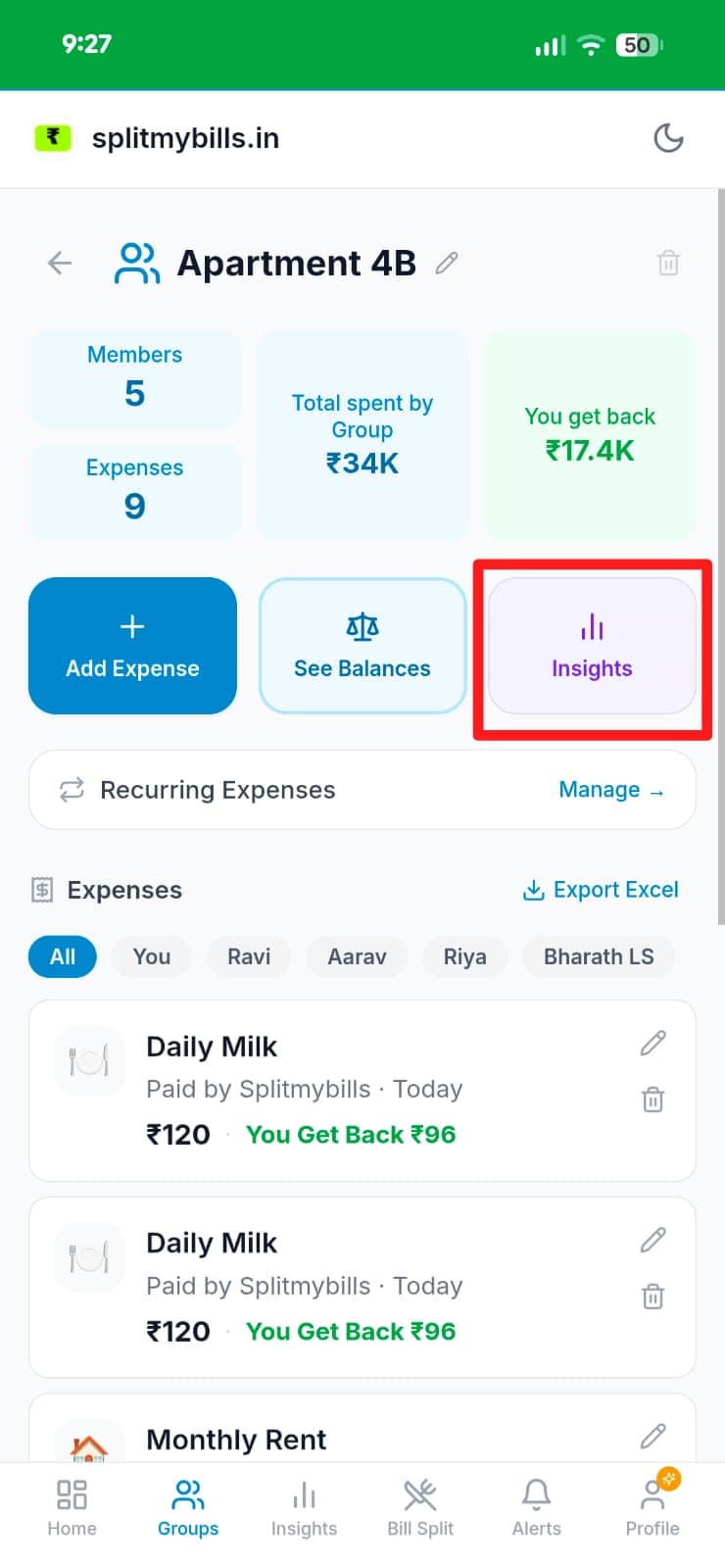
Open your group and tap "Insights"
From any group page — like "Apartment 4B" with 5 members and 9 expenses — tap the Insights button alongside Add Expense and Settlements.
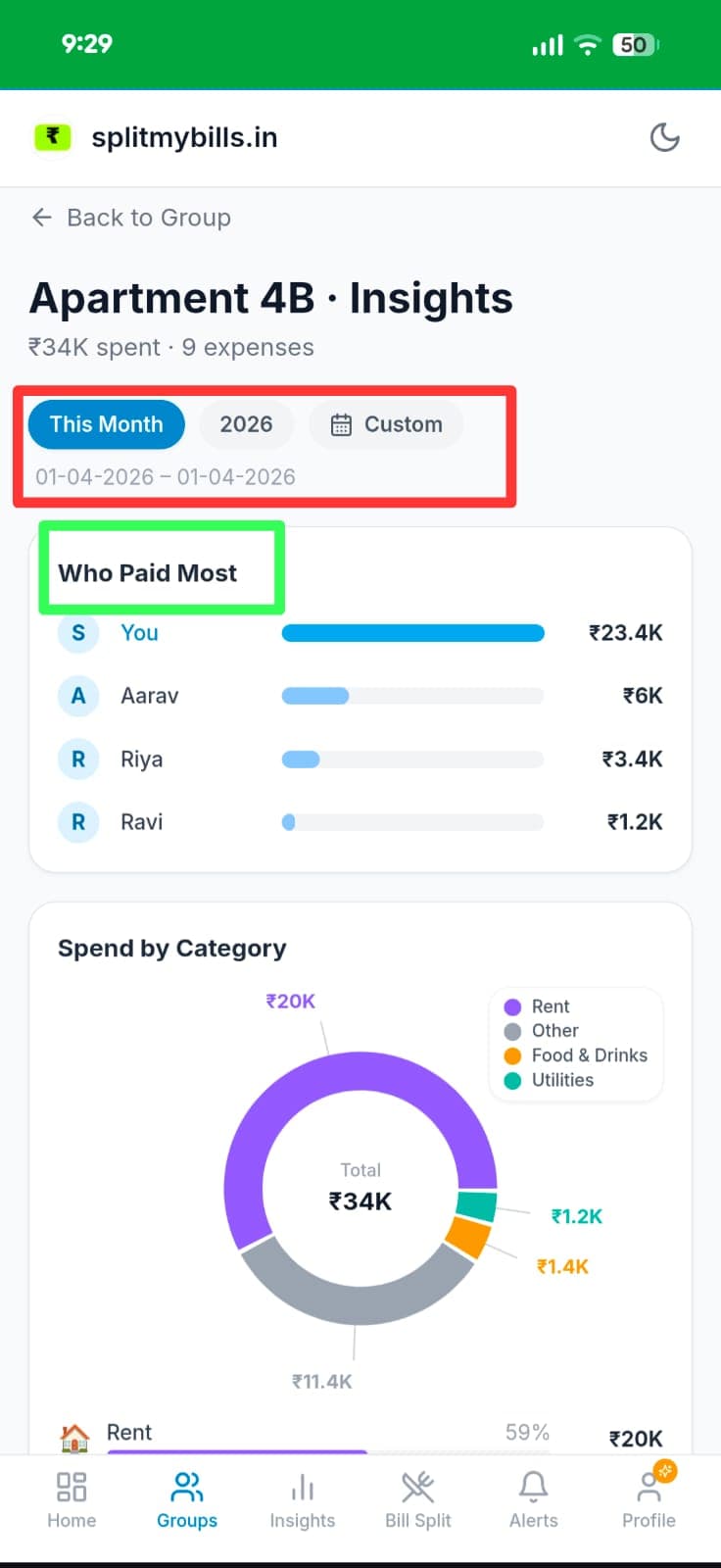
Filter by period and see who paid most
Choose This Month, the full year, or a Custom date range. The "Who Paid Most" bar chart shows each member's share — Splitmybills ₹23.4K, Aarav ₹6K, Riya ₹3.4K, Ravi ₹1.2K.
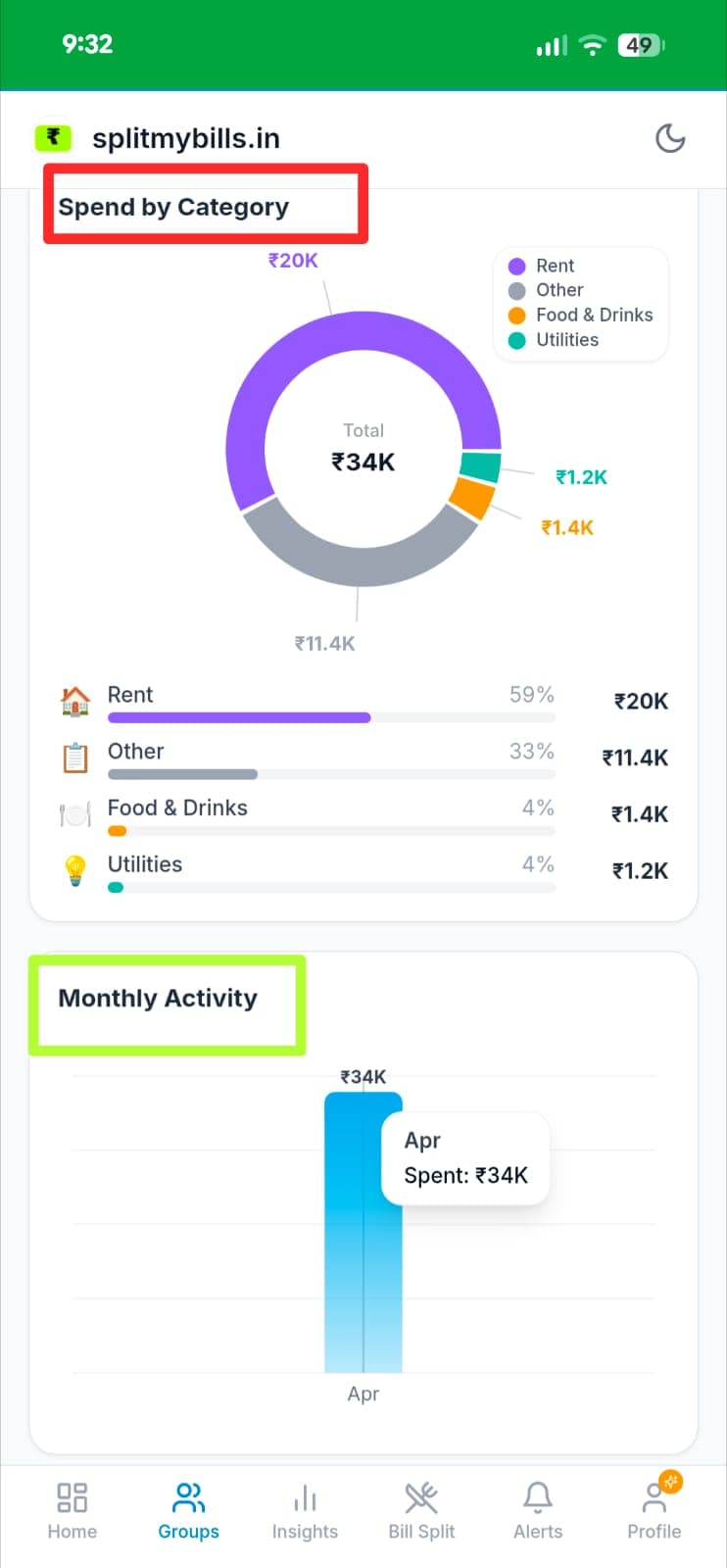
See spend by category and monthly activity
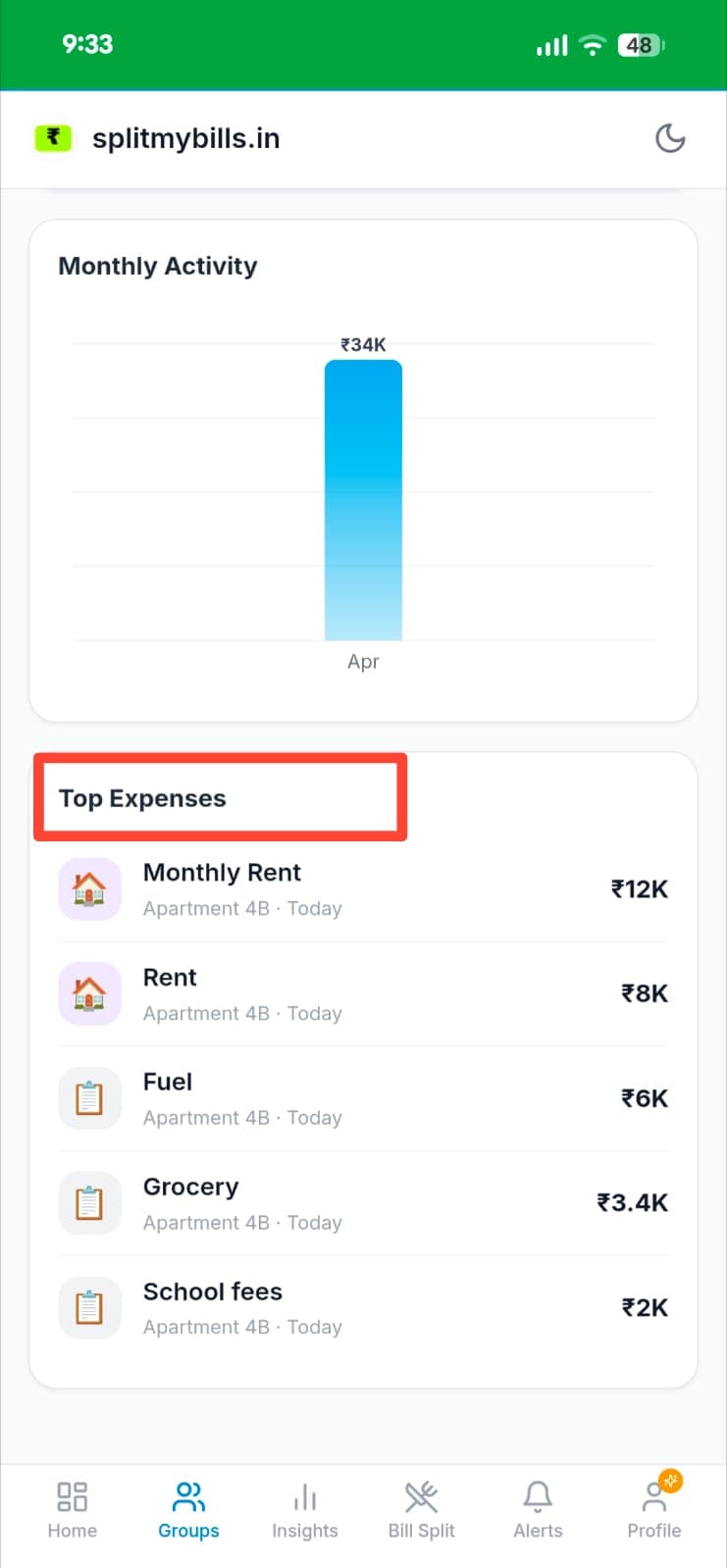
A colour-coded donut chart breaks down your total ₹34K — Rent 59% (₹20K), Other 33% (₹11.4K), Food & Drinks 4% (₹1.4K), Utilities 4% (₹1.2K). Below it, the Monthly Activity bar shows April spend at ₹34K.
Drill into your top expenses
The Top Expenses list ranks your biggest spends for the period — Monthly Rent ₹12K, Rent ₹8K, Fuel ₹6K, Grocery ₹3.4K, School fees ₹2K — so you instantly know where the large chunks went.
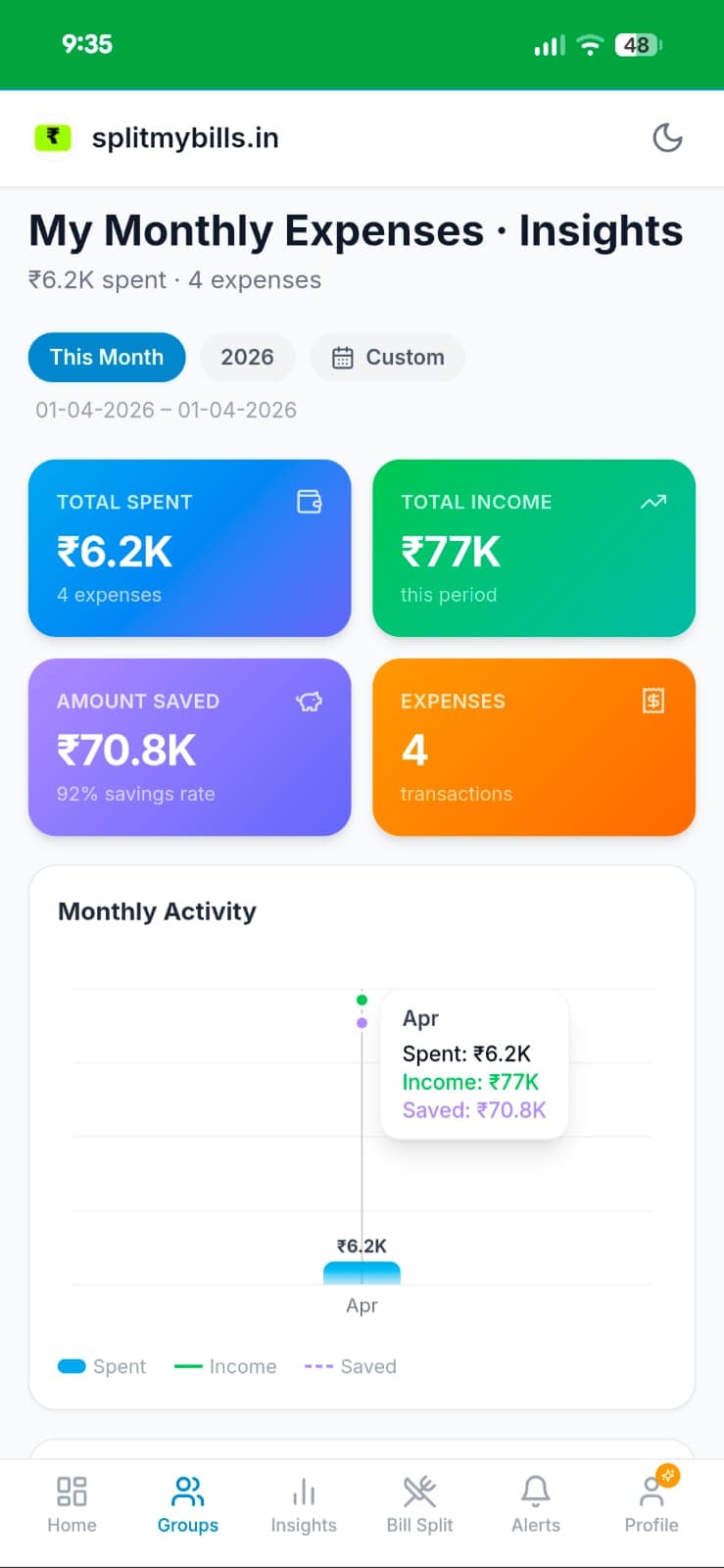
Track income, savings, and net worth for personal groups
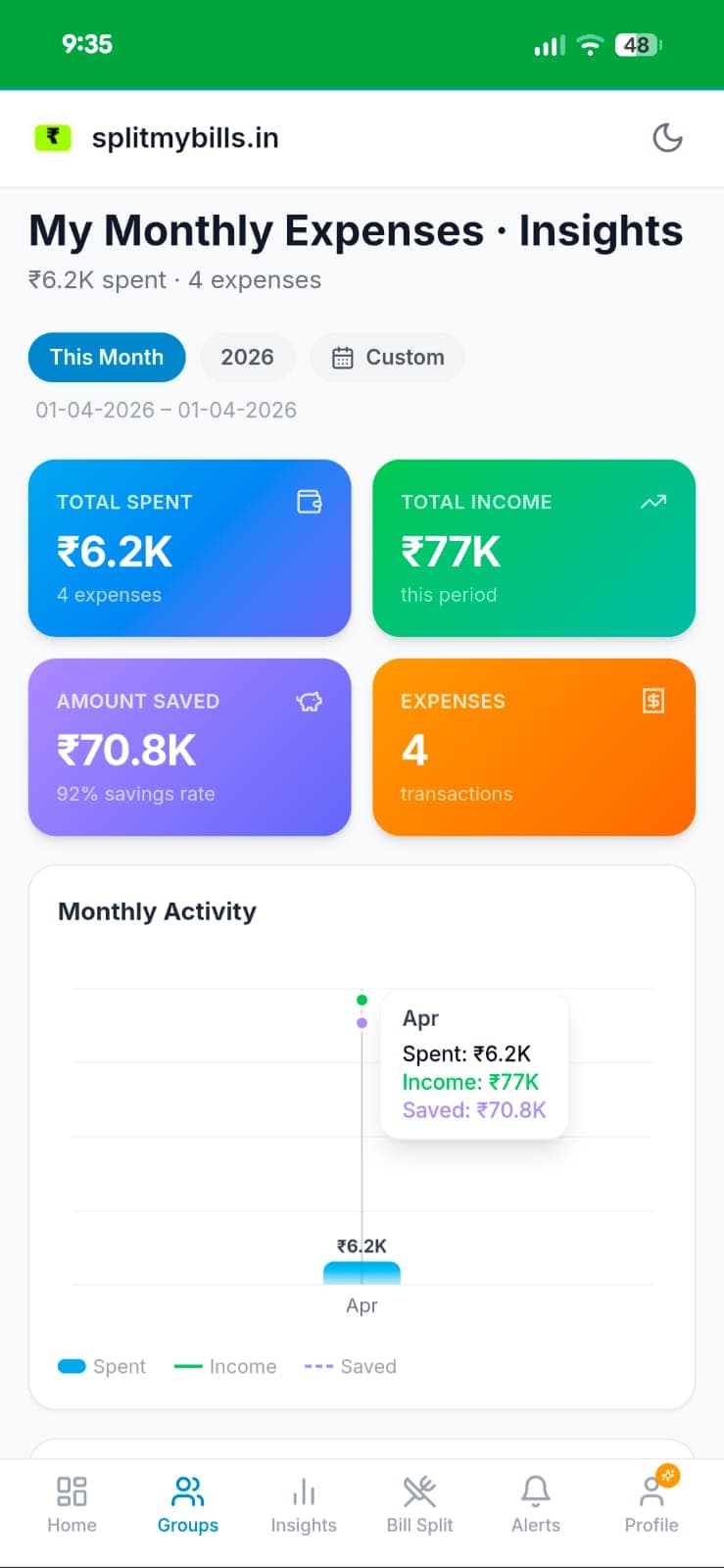
For individual trackers, Insights adds four summary cards — Total Spent ₹6.2K, Total Income ₹77K, Amount Saved ₹70.8K (92% savings rate), and Expenses count. The activity chart overlays Spent, Income, and Saved lines together.
Why you'll love it
- ✓Category breakdown — food, transport, rent, entertainment, utilities — colour-coded donut chart.
- ✓Month-over-month comparison — Divya spots that her food spend increased 40% in March.
- ✓Works for group and personal — analytics available for shared flat expenses and individual trackers.
- ✓Export to Excel — download the full breakdown with income, expenses, and category totals.
Frequently asked questions
Does analytics work for group expenses?+
Yes — Spending Analytics shows your personal share of group expenses, so Arjun sees what he actually spent even in shared groups.
How far back does the data go?+
Analytics covers all expenses you've ever recorded. Use the month navigator to go back to any previous period.
Can I see analytics for a specific group?+
Yes — each group has its own analytics view. Arjun can see the breakdown for his flat separately from his office group.
Is Spending Analytics free?+
Spending Analytics is a Pro feature. Try Pro free for 7 days — no credit card needed.
Explore more features
Know exactly where every rupee went
Try Spending Analytics free for 7 days — no credit card needed.
Start free trial →