
Recurring Expenses
Log monthly rent, electricity, and subscriptions once. Never again.
Your Apartment group pays ₹12,000 rent on the 1st of every month, split equally five ways. Set it up once and the expense is auto-created every month — with the same split, same amounts, and same members. No more forgetting.
How it works
Set up once, stay on top of shared costs forever
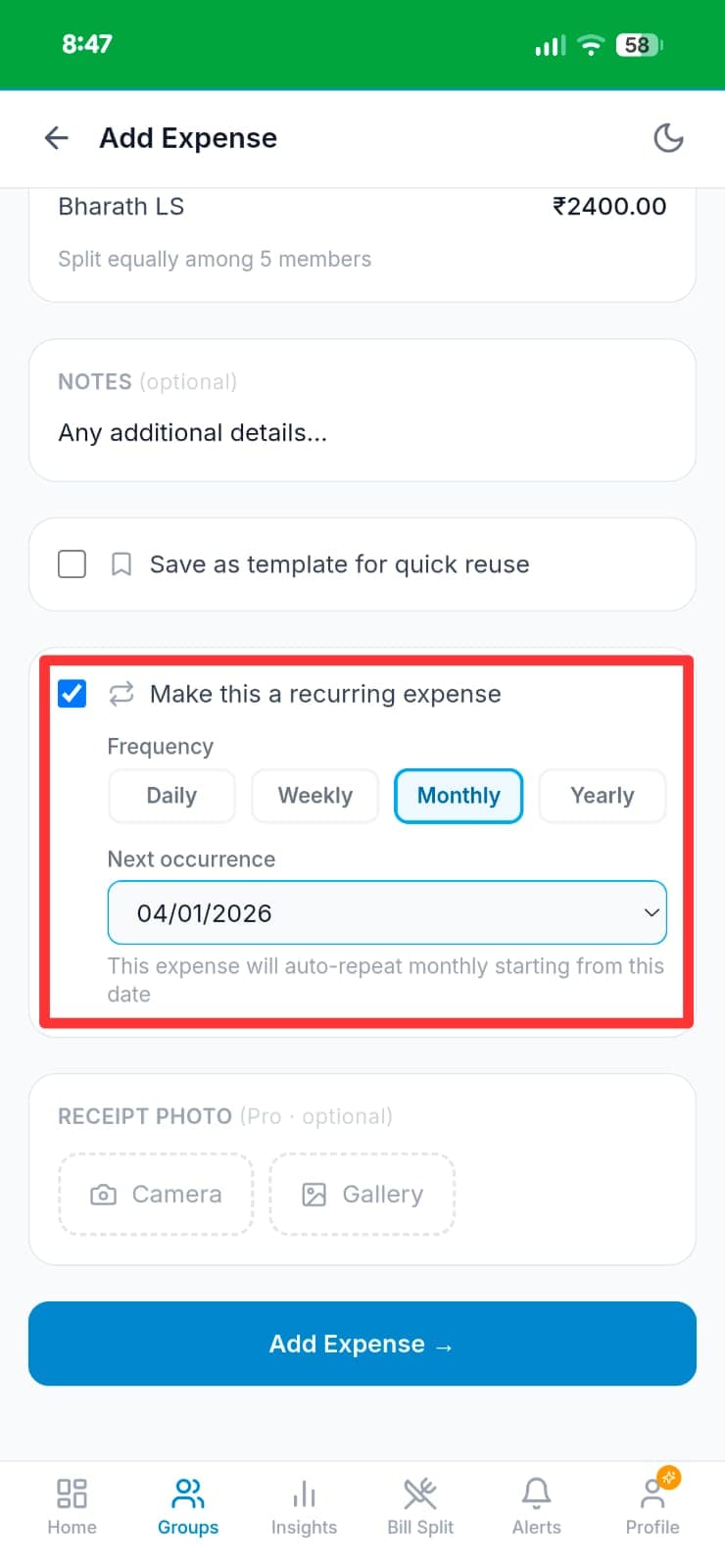
Add the expense and split it
Create the expense as usual — enter "Monthly Rent", ₹12,000, and split equally among all members (Splitmybills, Ravi, Aarav, Riya, Bharath LS — ₹2,400 each). The "Make this a recurring expense" checkbox appears below the split.
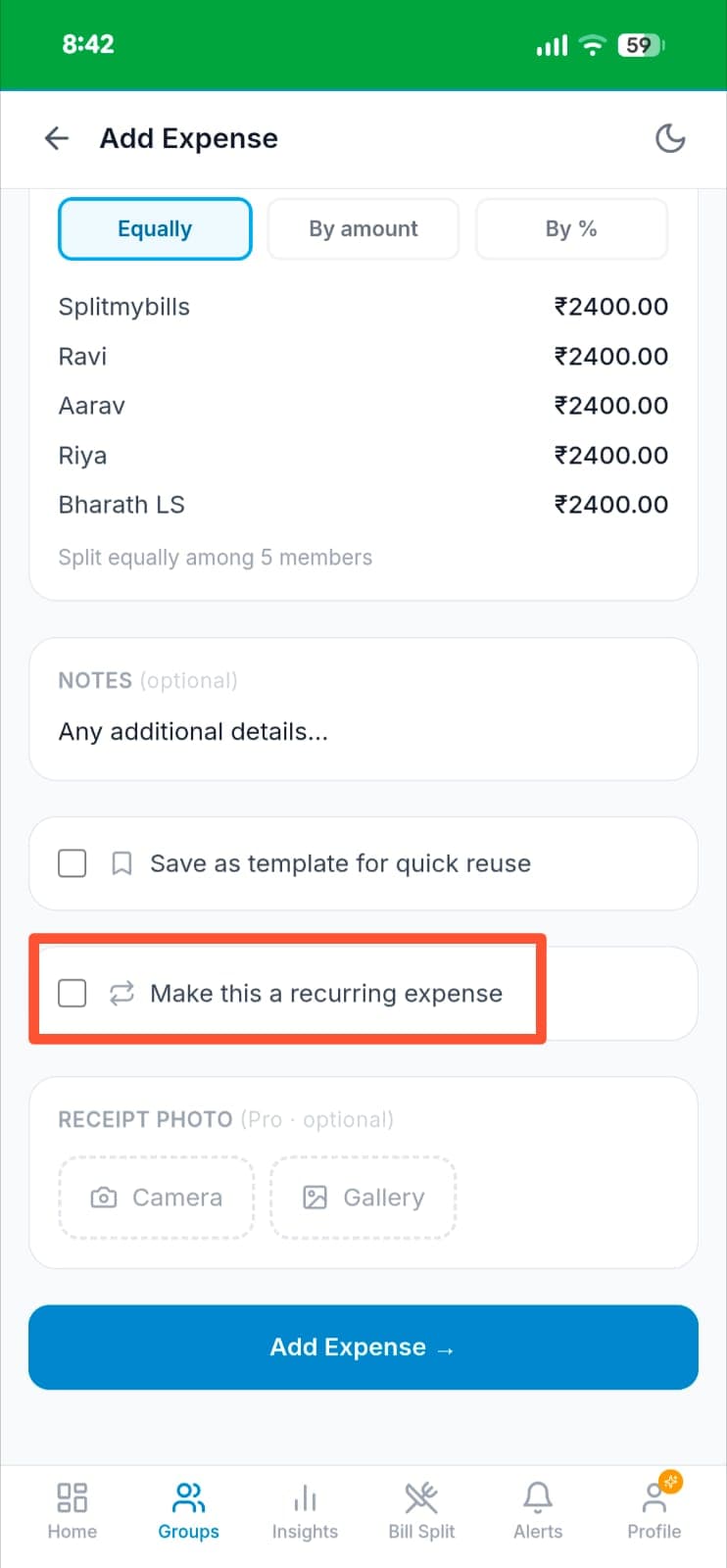
Check "Make this a recurring expense"
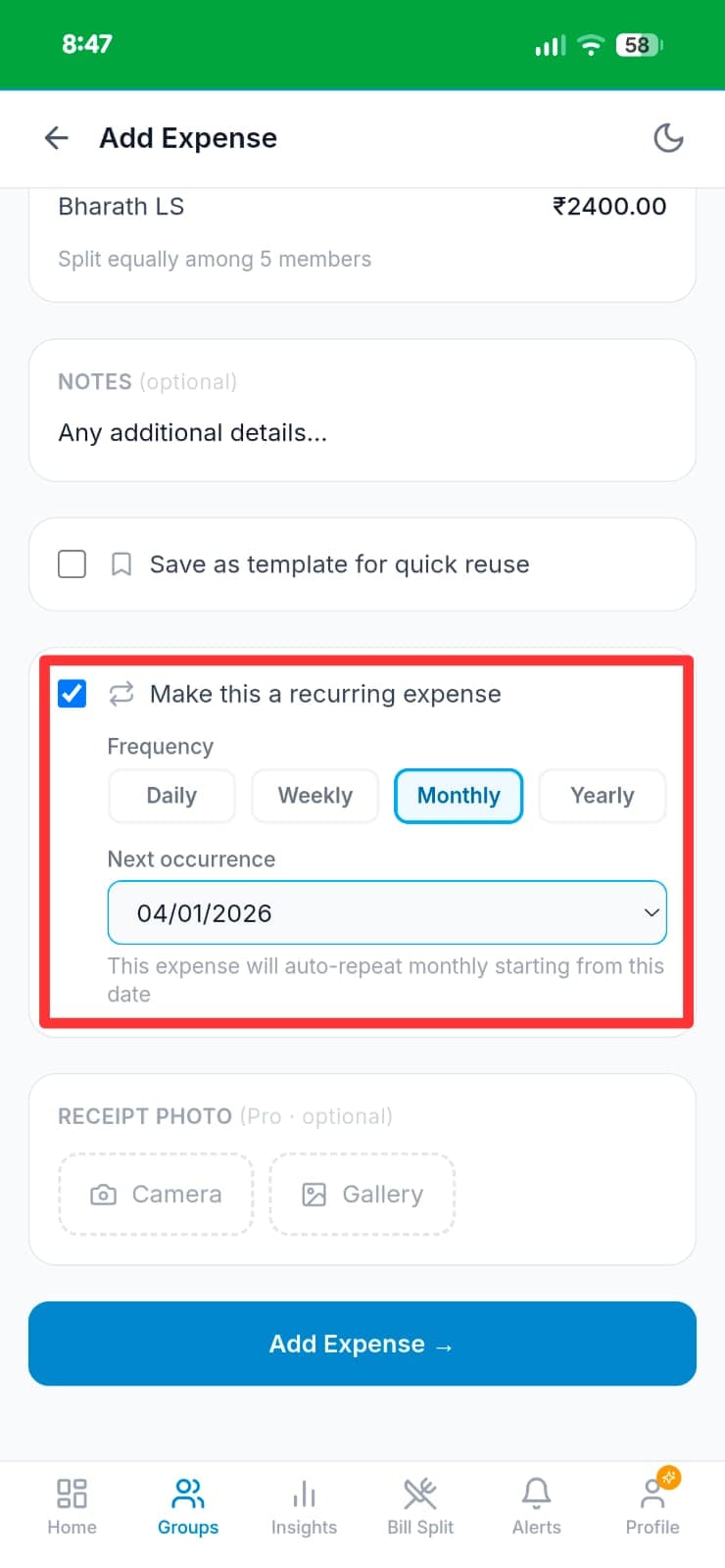
Tick the recurring checkbox, select Monthly frequency, and confirm the next occurrence date (04/01/2026). The app shows a confirmation: "This expense will auto-repeat monthly starting from this date." Then tap Add Expense.
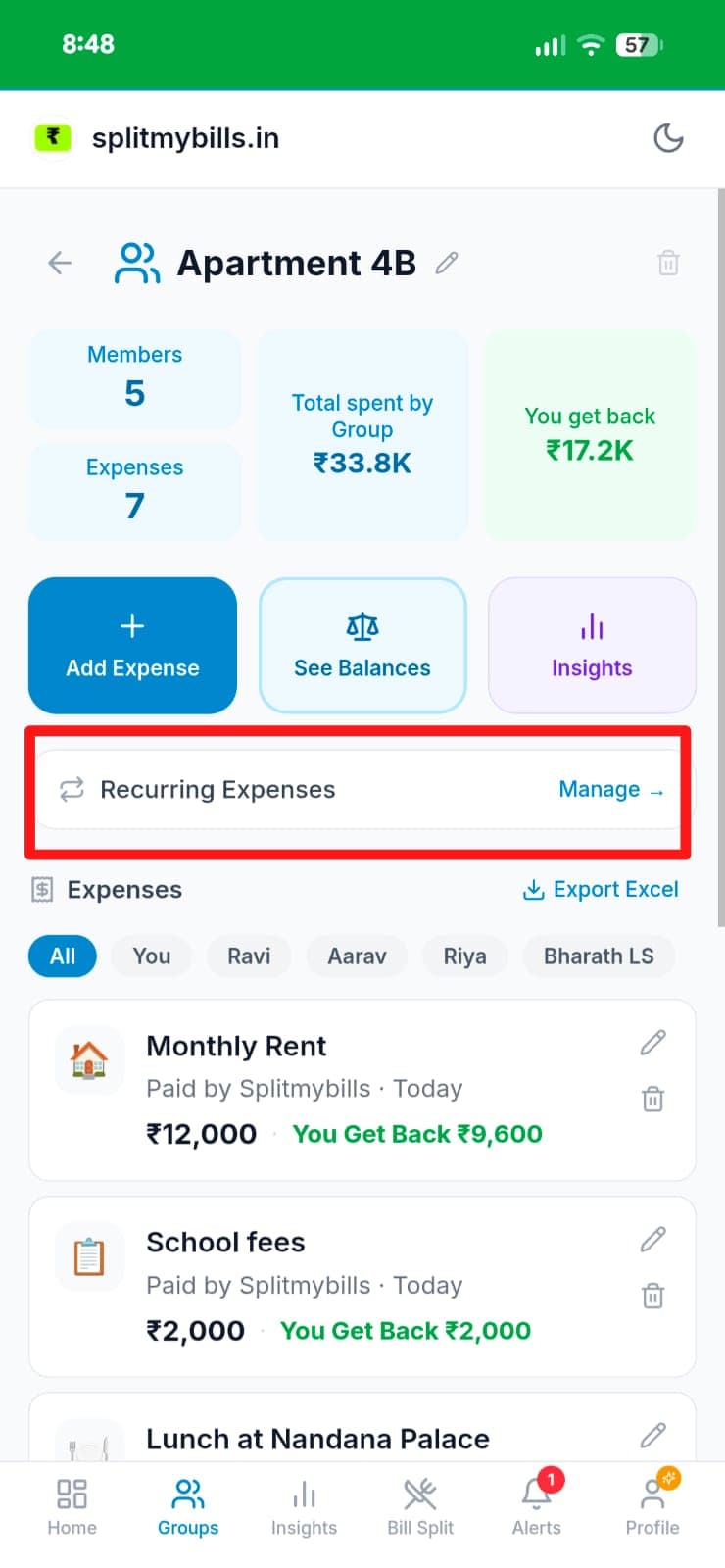
Rent appears automatically every month
On the 1st of each month, Monthly Rent is auto-added to the Apartment 4B group. You see it instantly in the expense list — ₹12,000 paid by Splitmybills, with "You get back ₹9,600". A "Recurring Expenses → Manage" shortcut appears at the top of the group page.
Manage from the Recurring tab
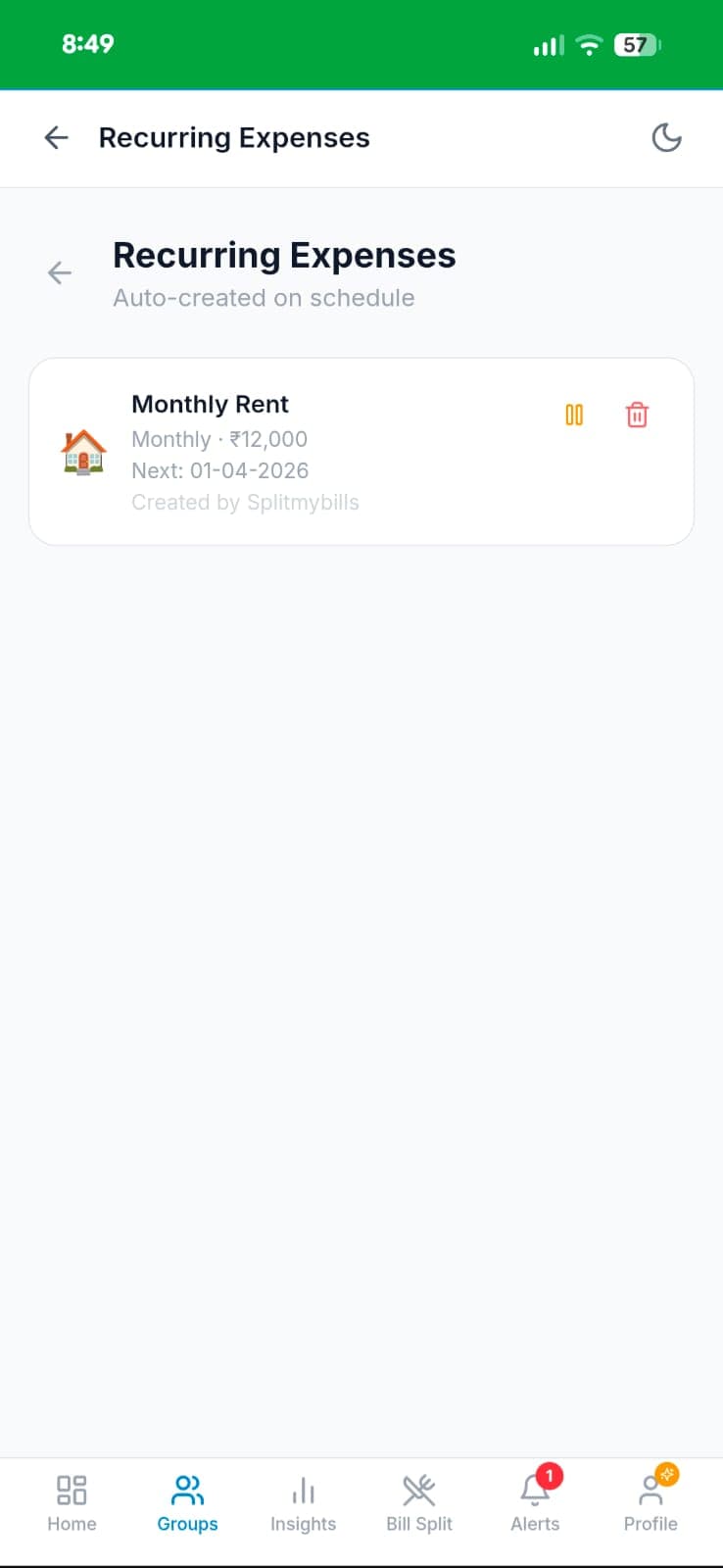
Tap "Manage →" to open the Recurring Expenses screen. Monthly Rent shows: Monthly · ₹12,000 · Next: 01-04-2026 · Created by Splitmybills. Pause it for a month or delete it entirely — full control, anytime.
Why you'll love it
- ✓Never forget monthly rent — Rahul, Priya, and Arjun always have the correct split logged on the 1st.
- ✓Works for any frequency — monthly rent, weekly groceries, quarterly subscriptions like Hotstar or Amazon Prime.
- ✓Full control — pause, edit, or delete any recurring expense at any time. No lock-in.
- ✓Consistent splits — the same people, amounts, and split type every cycle. Change once and future entries update.
Frequently asked questions
What expenses can I set as recurring?+
Any expense — monthly flat rent, electricity bills, internet, Zomato Gold, Hotstar subscriptions, weekly grocery splits. If it repeats, it can be automated.
Can I change the amount for a specific month without affecting future entries?+
You can edit the auto-created expense for any month individually. The recurring template stays unchanged for future months.
What happens if I'm not in the app when the expense is due?+
The expense is created automatically in the background. You'll receive a push notification so you know it's been logged.
Is Recurring Expenses free?+
Recurring expenses is a Pro feature. Try Pro free for 7 days — no credit card needed.
Explore more features
Set up rent and utilities once. Done for the year.
Try Recurring Expenses free for 7 days — no credit card needed.
Start free trial →