
Expense Templates
Save your frequent expenses. Add them in one tap next time.
Your group buys Daily Milk every day — ₹120 split equally among 5 members. Instead of typing it out every single time, save it as a template. Next time, one tap fills everything in.
How it works
Save once, reuse forever — in one tap
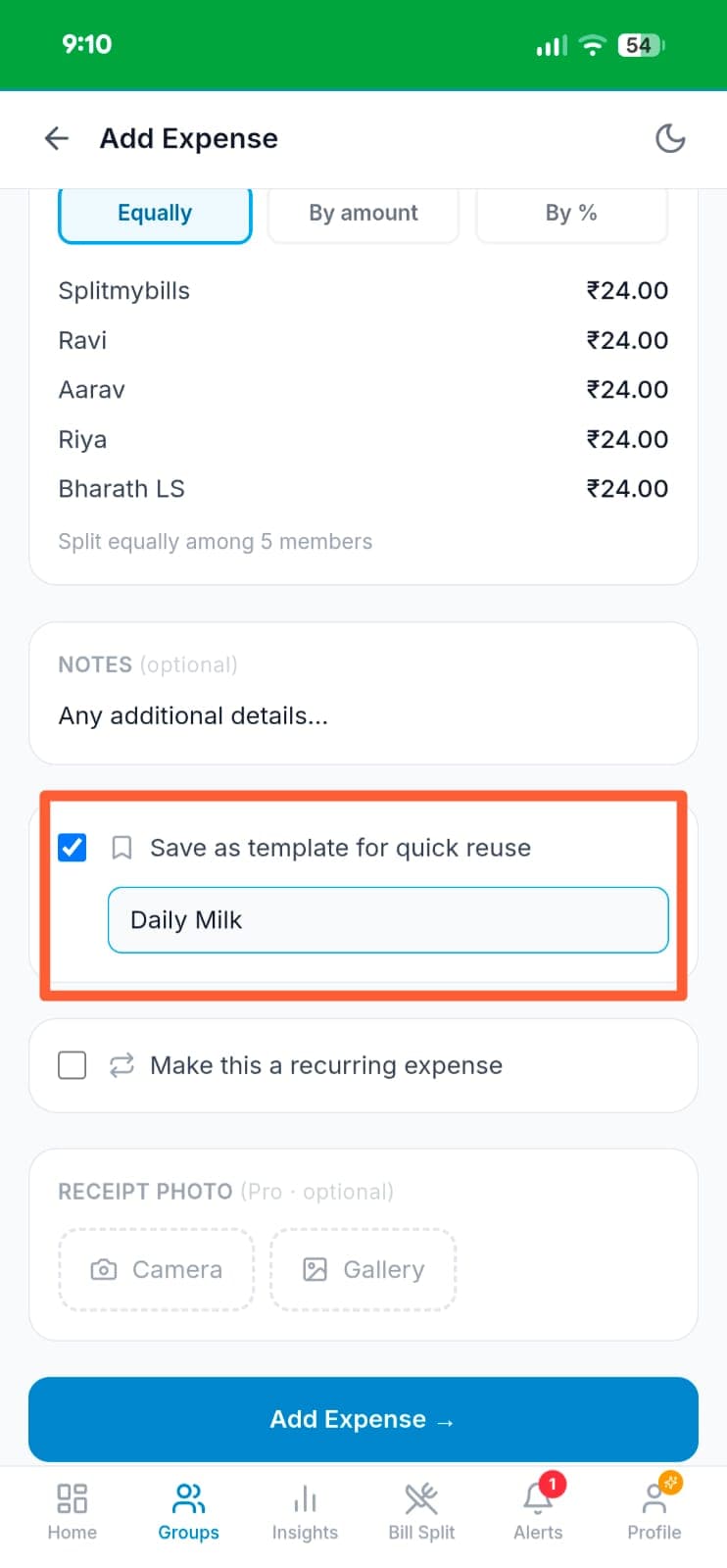
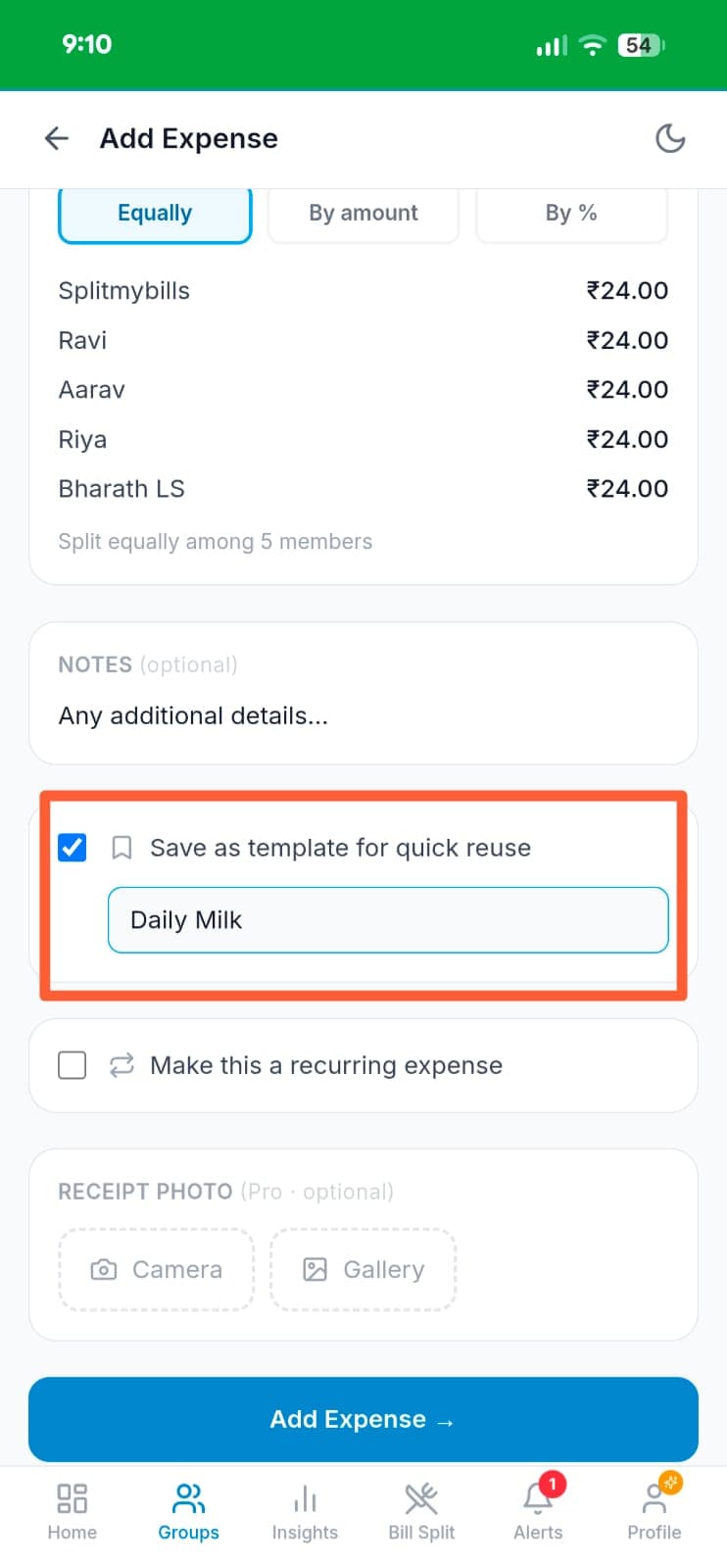
Save an expense as a template
While adding an expense, check "Save as template for quick reuse" and give it a name — "Daily Milk". The split, members, and category are all saved with it.
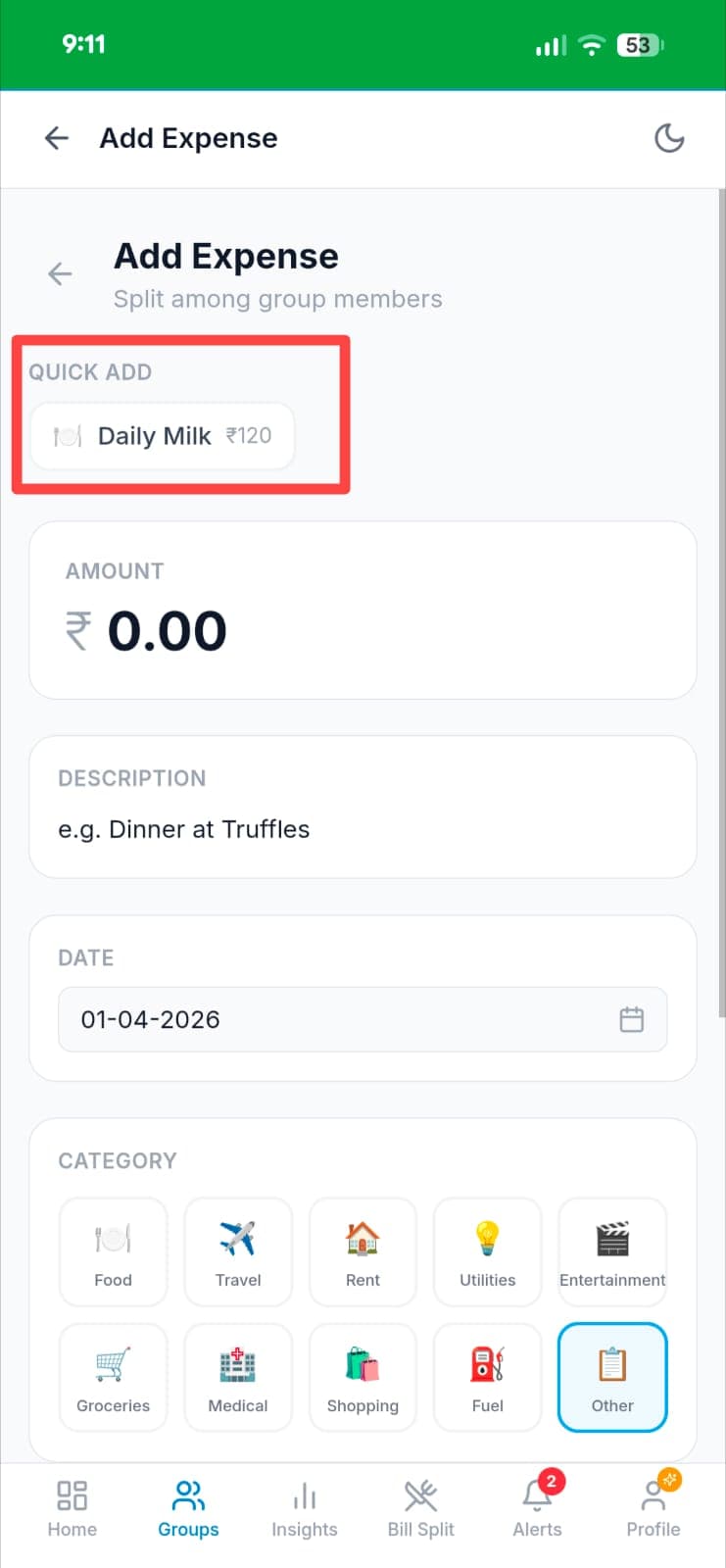
Quick Add appears next time
The next time you open Add Expense, a "QUICK ADD" bar appears at the top with your saved "Daily Milk ₹120" template — ready in one tap.
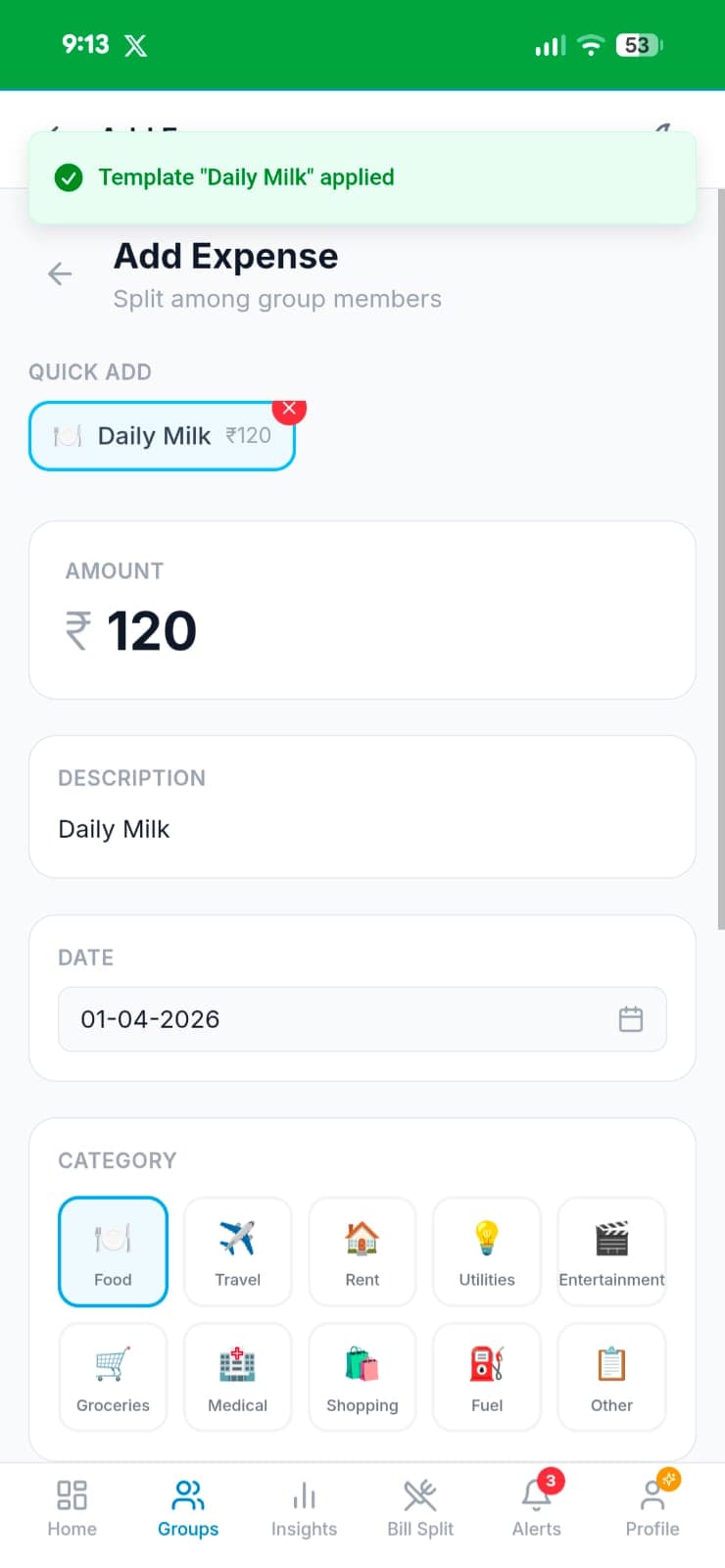
One tap prefills everything
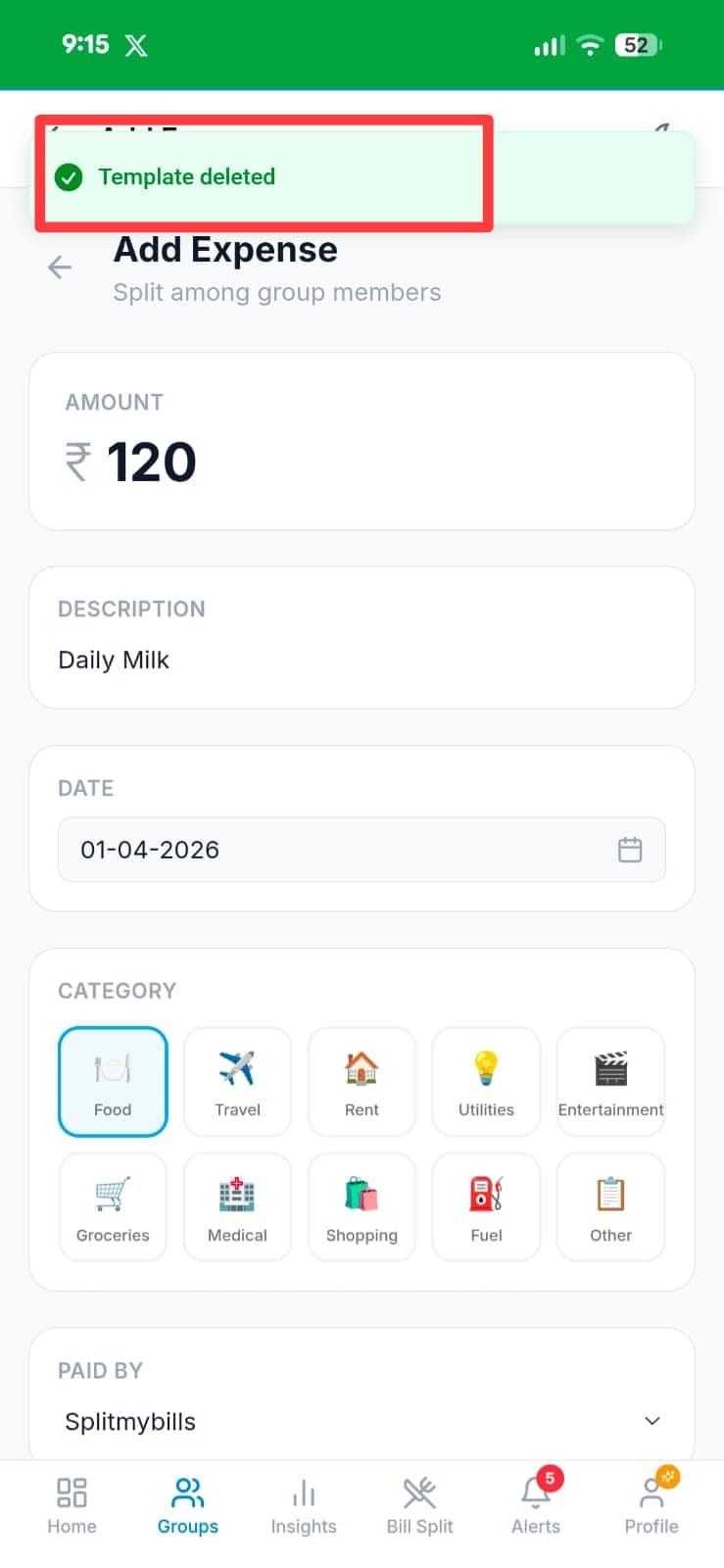
Tap the template chip and the form instantly fills: amount ₹120, description "Daily Milk", category Food — all applied at once. A "Template applied" toast confirms it.
Delete when no longer needed
Tap the ✕ on any template chip to remove it. A "Template deleted" confirmation appears instantly — no stale templates cluttering your Quick Add bar.
Why you'll love it
- ✓Zero retyping — Priya's weekly dhaba order, Rahul's office chai run, Arjun's auto-rickshaw split — all saved and reusable.
- ✓Full editing before saving — update the amount or notes without changing the template.
- ✓Organise by category — food, transport, utilities. Find templates quickly even with a long list.
- ✓Works with any split type — equal, percentage, exact amounts, custom shares — all saved in the template.
Frequently asked questions
How many templates can I save?+
Save as many templates as you need. There's no limit on the number of templates per group.
Can I share a template with other group members?+
Templates are saved per group, so Rahul and Priya can both use the same group templates.
What if the people change but the expense type is the same?+
You can edit the members when using a template before saving. The template stores a default, not a fixed set.
Is Expense Templates free?+
Expense templates is a Pro feature. Try Pro free for 7 days — no credit card needed.
Explore more features
Stop retyping the same expense every week
Try Expense Templates free for 7 days — no credit card needed.
Start free trial →