
The best receipt scanner for India
Snap any bill. Keep it forever. Split it in seconds.
Paper bills fade, tear and disappear — and with them go reimbursements you forgot to claim and warranties you can't prove. splitmybills.in turns your phone into a receipt scanner: photograph any bill, keep it linked to the expense forever, and let AI read every line item when you split a restaurant tab.
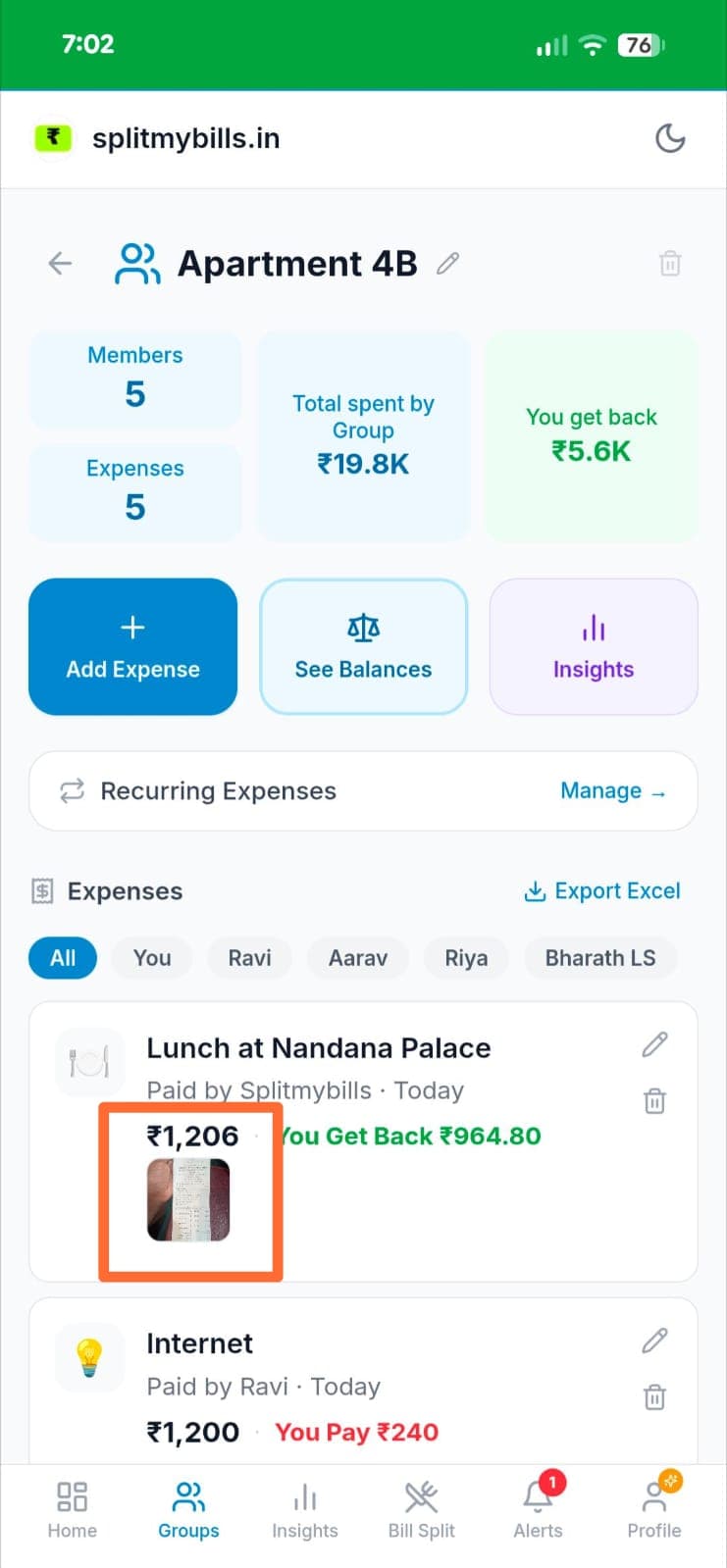
A permanent digital vault for every bill
Every receipt you scan stays attached to its expense — tap the expense any time to pull up the original bill. No more shoebox of curling thermal paper, no more “I'm sure I paid for that”.
- ✓Proof for office reimbursements — attach the bill, get paid back, never lose a claim.
- ✓Warranty & return protection — the purchase bill is always one tap away.
- ✓Fair splits with evidence — housemates can see the exact receipt behind every shared expense.
- ✓GST & tax records — keep invoices organised by date and category, ready at year-end.
Why a saved receipt pays off
One kept bill can be worth thousands
A misplaced receipt is a reimbursement you never claim, a warranty a store won't honour, and a bill your flatmates quietly dispute. Keeping it takes two seconds — losing it can cost far more than a whole year of Pro.
2 sec
to snap and attach a bill while adding the expense
0
line items to type — AI reads restaurant bills for you
∞
kept forever, linked to the expense and searchable by date
How it works
Attach a receipt to any expense in four taps
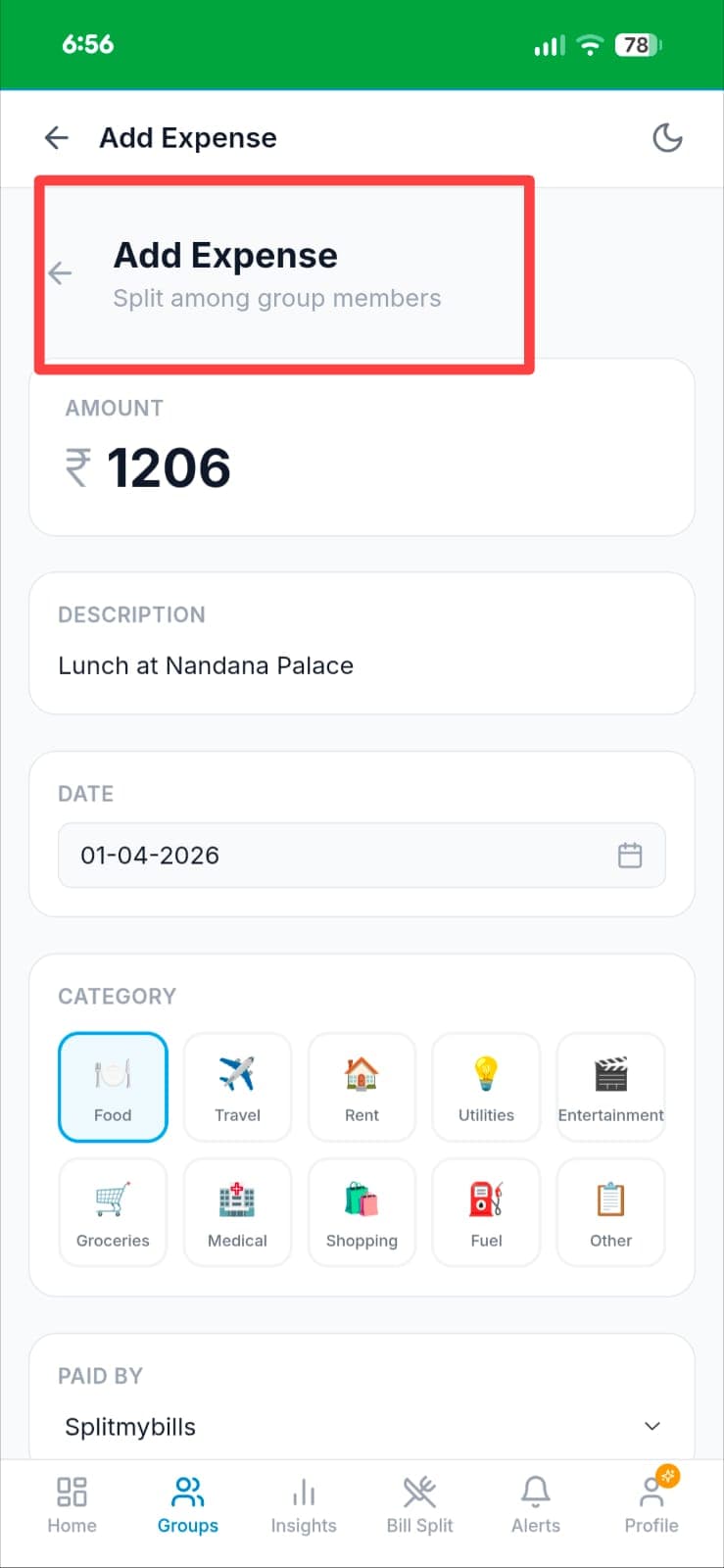
Add a new expense
Open your group and tap "Add Expense". Fill in the amount, description, date and category as usual — the receipt attaches on the same screen.
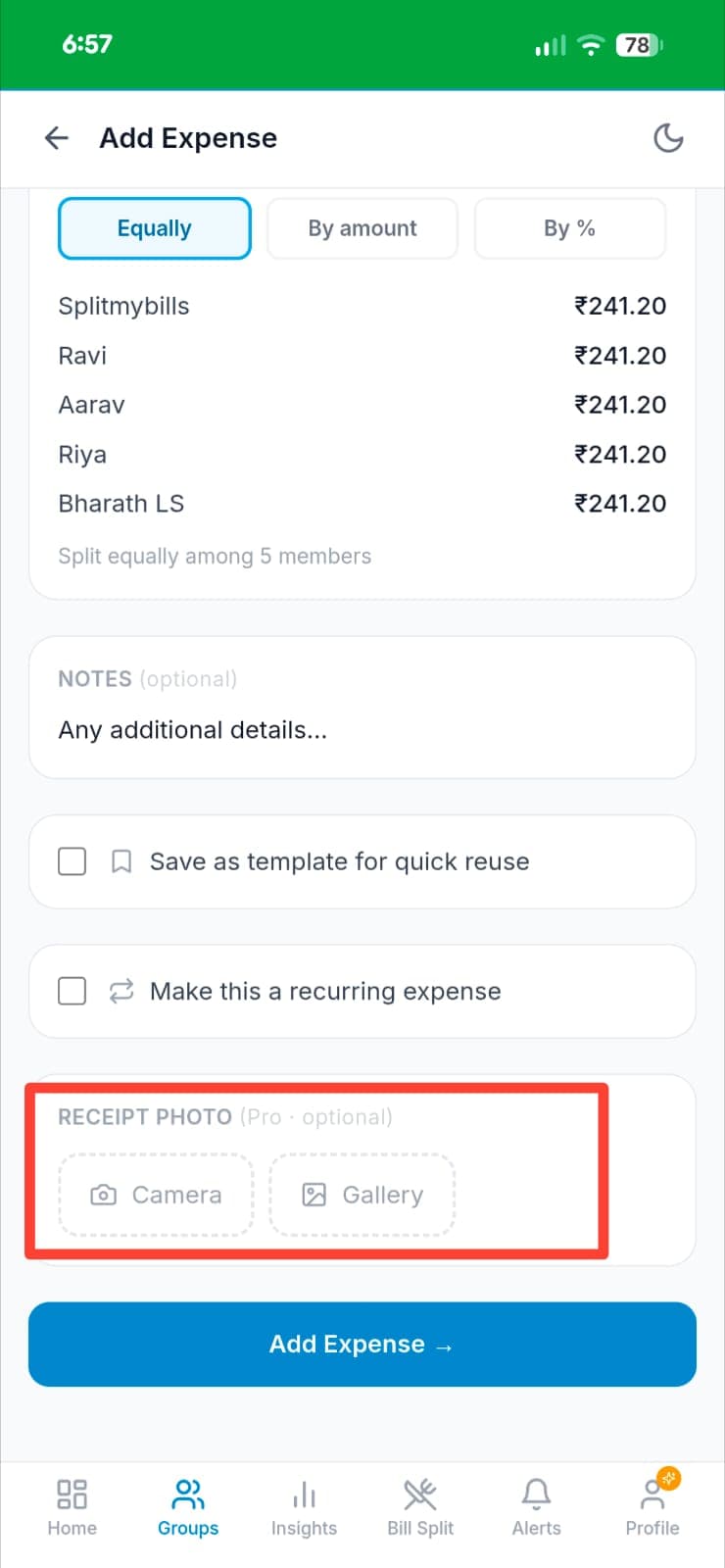
Tap Camera or Gallery
In the "Receipt Photo (Pro · optional)" section, tap Camera to click the bill on the spot, or Gallery to pick a photo you already took.
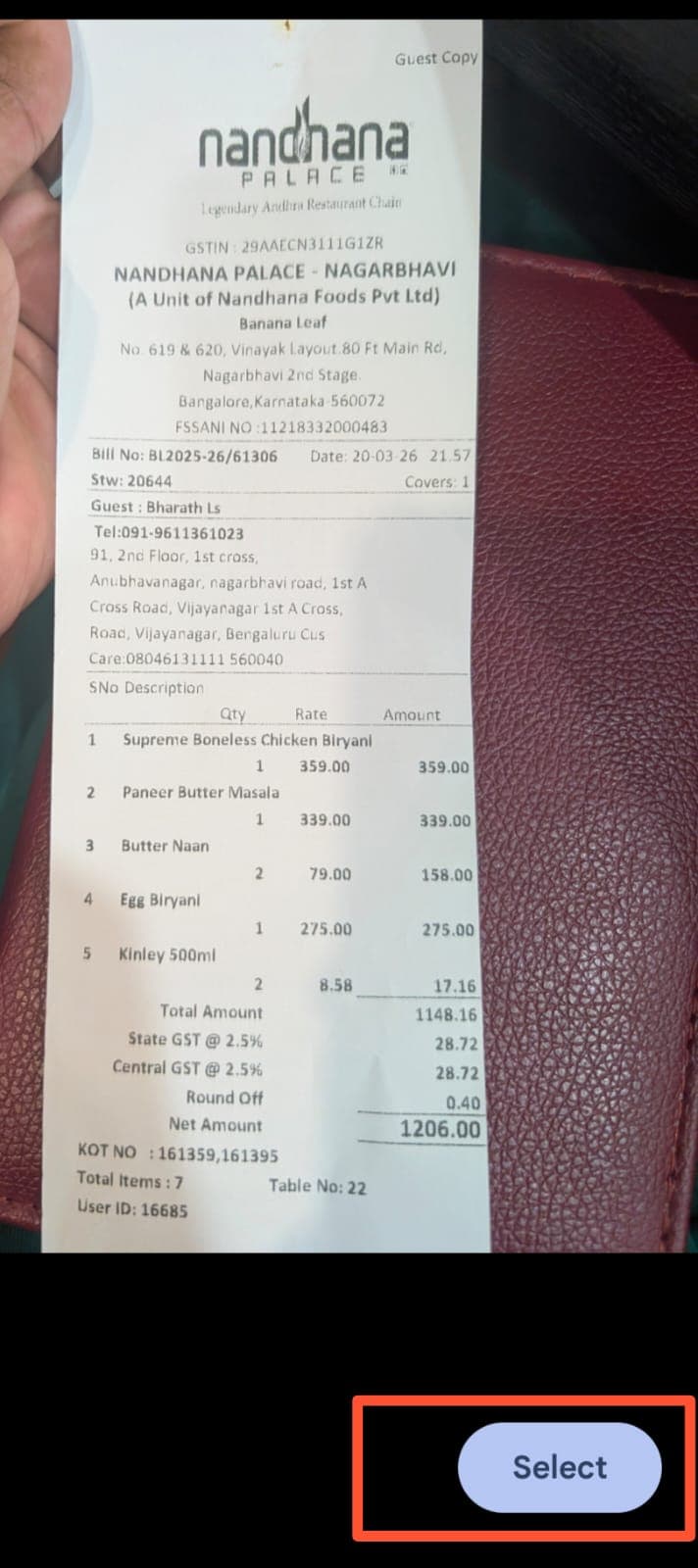
Pick the receipt
Your gallery opens — find the bill, like this Nandhana Palace receipt, and tap Select. The image is compressed and uploaded securely.
Attached — save
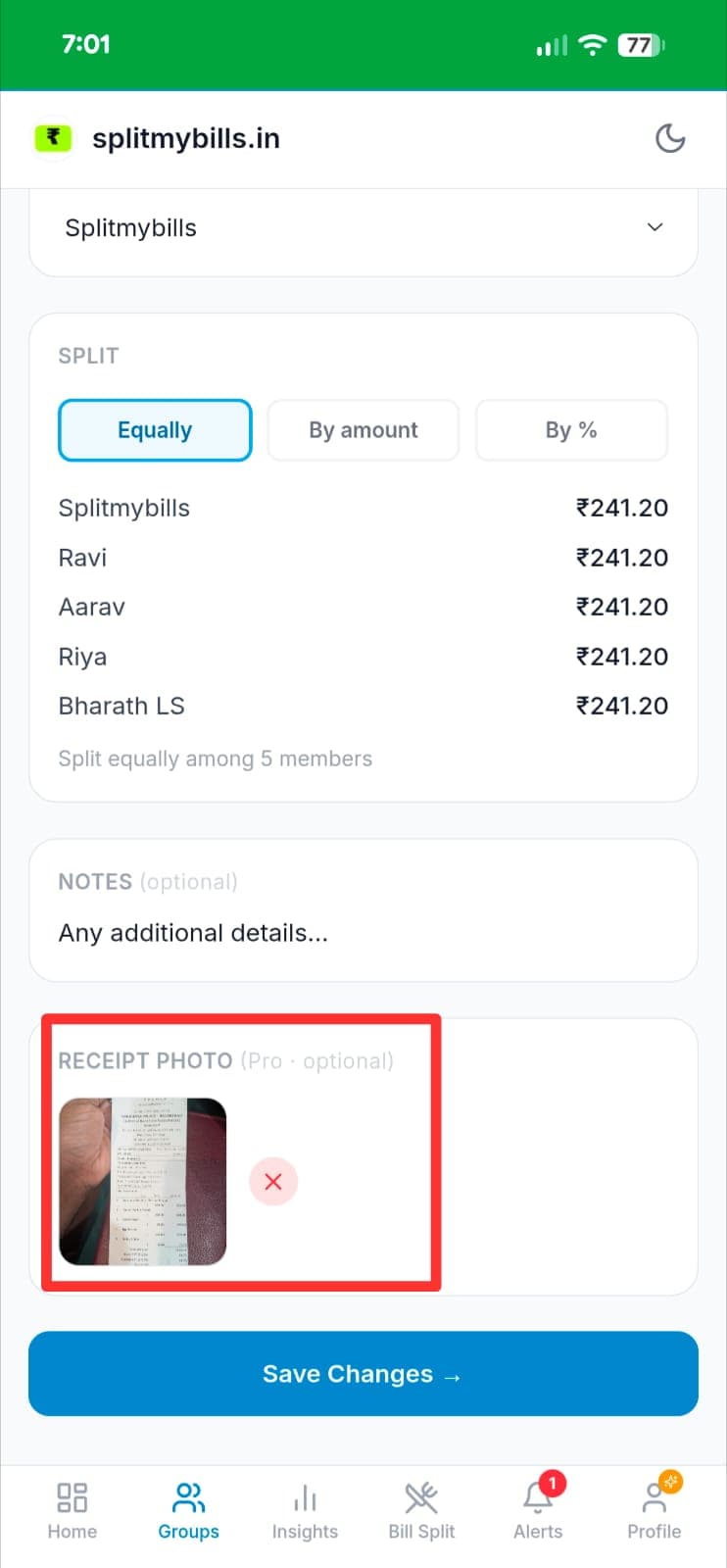
The receipt thumbnail appears in the form. Tap Save and the expense is stored with the bill linked to it for good.
Splitting a restaurant bill? Let AI read it for you
In the Restaurant Bill Split flow, just photograph the bill. The AI receipt scanner extracts every line item, price, GST and service charge automatically — no typing. Review, assign items to people, and settle over UPI. It's the fastest way to split a big table without a single manual entry.
See AI bill splitting →Who gets the most out of it
💼 The salaried professional
Problem: Client dinners, cab rides and hotel stays to expense — but the paper bills get lost before the reimbursement claim goes in.
Solution: Snap each bill the moment you pay. At month-end every receipt is attached to its expense, ready to submit and get reimbursed.
🏠 The flatmates
Problem: Someone paid ₹1,206 for a group lunch but nobody remembers exactly what was on the bill, so the split feels unfair.
Solution: The payer attaches the receipt. Everyone sees the actual bill behind the expense — no disputes, no awkward maths.
🛠️ The careful buyer
Problem: A gadget fails inside warranty, but the store demands the original bill you threw away months ago.
Solution: The purchase receipt is saved against the expense forever. Pull it up in one tap and get the warranty honoured.
Frequently asked questions
What is the best way to scan and save receipts on your phone?+
While adding an expense, tap Camera to photograph the bill on the spot or Gallery to pick an existing photo. The receipt uploads securely and stays linked to that expense forever, so you always have proof for reimbursements, warranties and GST — no shoebox of paper bills.
Does the app use AI to read the receipt automatically?+
Yes. When you split a restaurant bill, the AI receipt scanner reads a photo of the bill and auto-fills every line item and amount — including GST and service charge — so you do not type anything. For regular expenses, you attach the receipt photo as permanent proof against the amount.
Can I attach a receipt I already photographed?+
Yes — tap Gallery on the Receipt Photo section and select any image from your phone. You do not need to click a new photo every time.
Where is the receipt stored and is it private?+
Receipt photos are stored securely in the cloud and linked only to your expense. They are not shared with other group members or used for any purpose beyond your own reference.
Is receipt scanning free?+
Receipt attachment and AI scanning are Pro features. You can try Pro free for 7 days — no credit card needed — and it pays for itself the first time a saved receipt gets you a reimbursement or a warranty claim approved.
Explore more features
Never lose track of a receipt again
Scan any bill, keep it forever, and let AI split the tricky ones. Try Pro free for 7 days — no credit card needed.