
The fairest way to split a restaurant bill
Split by what each person ordered — not just equally.
Why should the friend who had a soup pay the same as the table that ordered biryani, kebabs and a round of drinks? Assign each dish to who ate it, or split cleanly by veg and non-veg. Snap the bill and AI loads every item — then send each share on WhatsApp with no app for your friends.
Equal isn't always fair
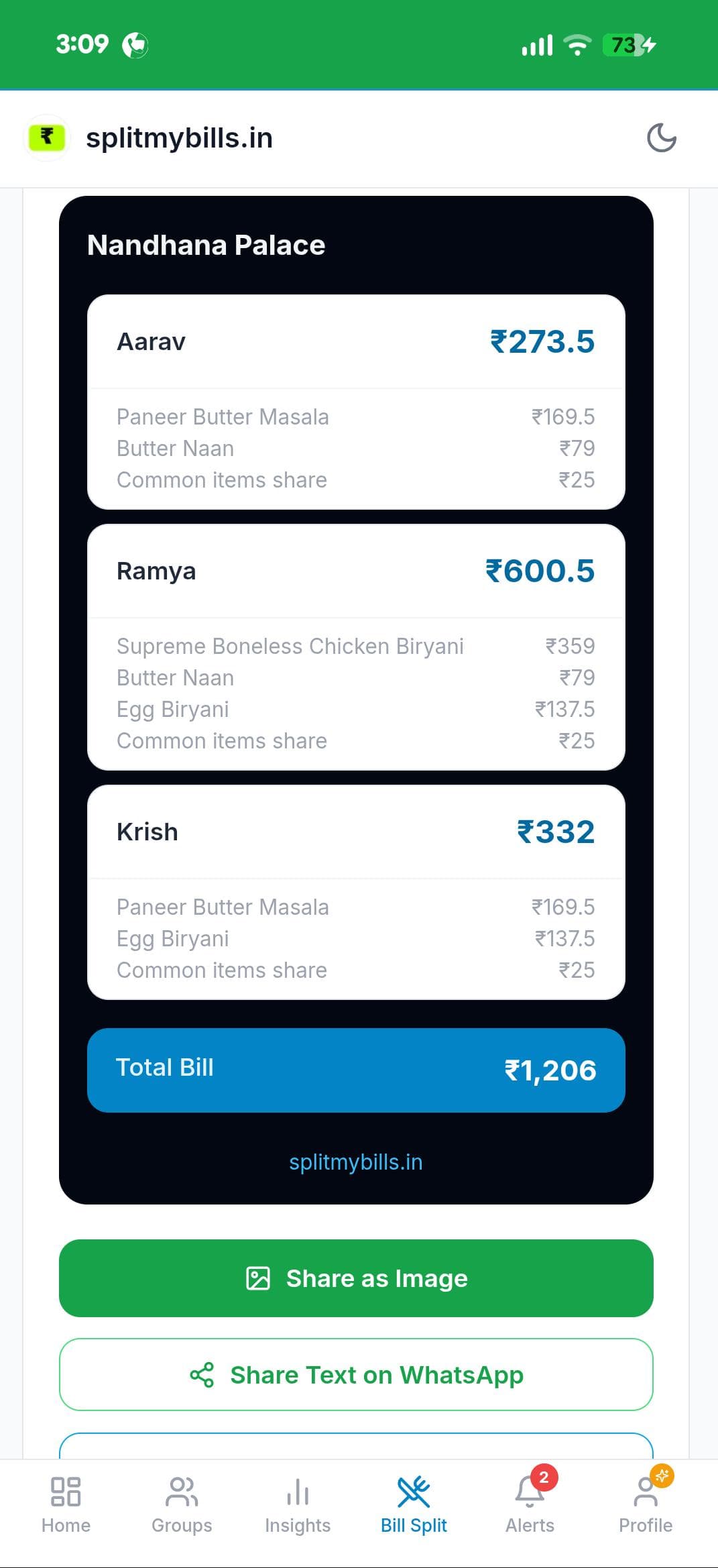
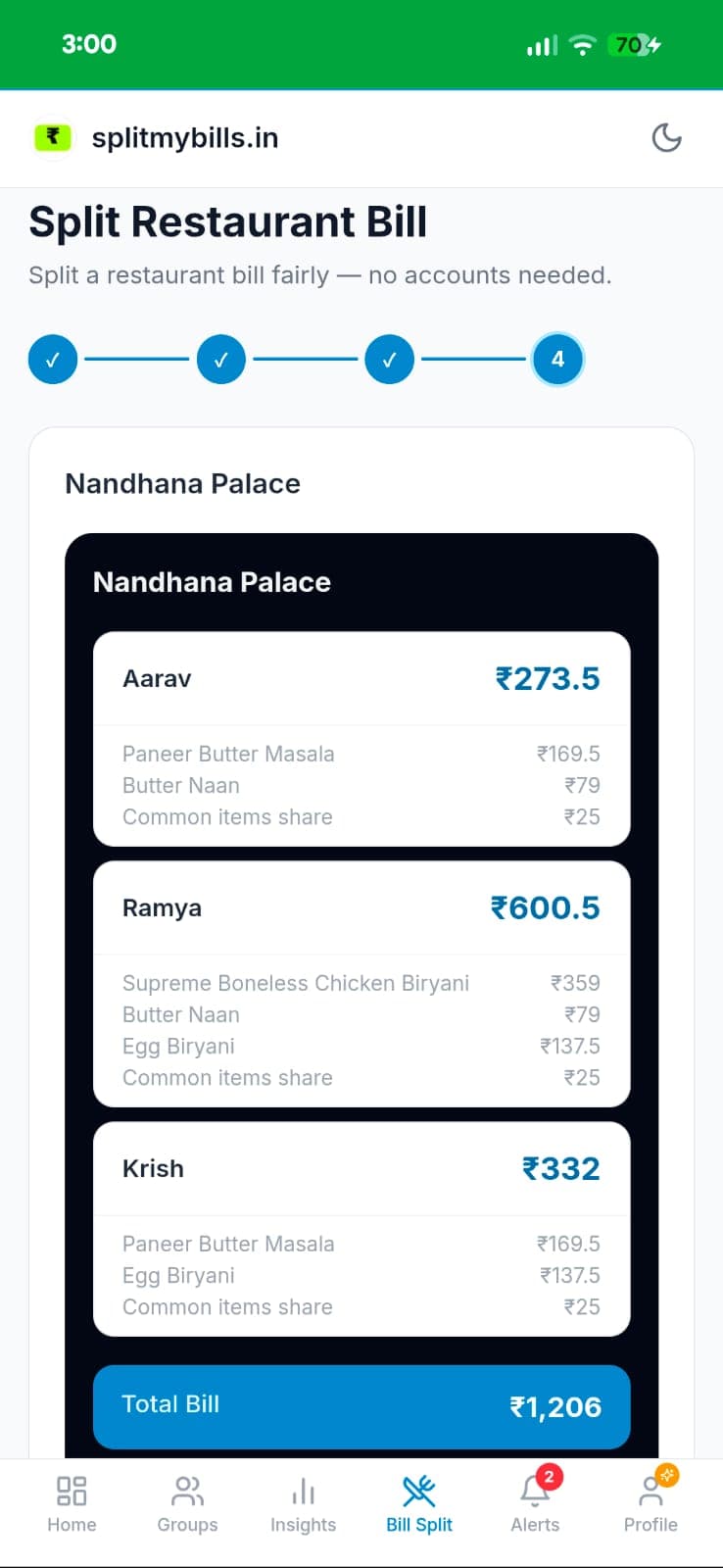
A real ₹1,206 bill for three. Split equally, everyone pays ₹402 — so Aarav, who barely ate, overpays by ₹128 to subsidise the biggest order. Split fairly, everyone pays for exactly what they had.
Aarav · had the lightest meal
₹273.5
Saves ₹128 vs equal split
Ramya · ordered the most
₹600.5
₹199 more than equal — but it's what they ordered
Krish · mid-range order
₹332
Saves ₹70 vs equal split
Equal split would charge everyone ₹402. Fair split matches the real order.
Two ways to split — pick what fits the table
Both handle common items (drinks, taxes, service charge) automatically
Veg / Non-Veg
Mark each person veg or non-veg. Veg dishes go only to veg diners, non-veg to non-veg, and shared items split equally. Perfect for mixed Indian tables — and there's a Quick Count mode for large groups where you just enter the headcount.
By Items
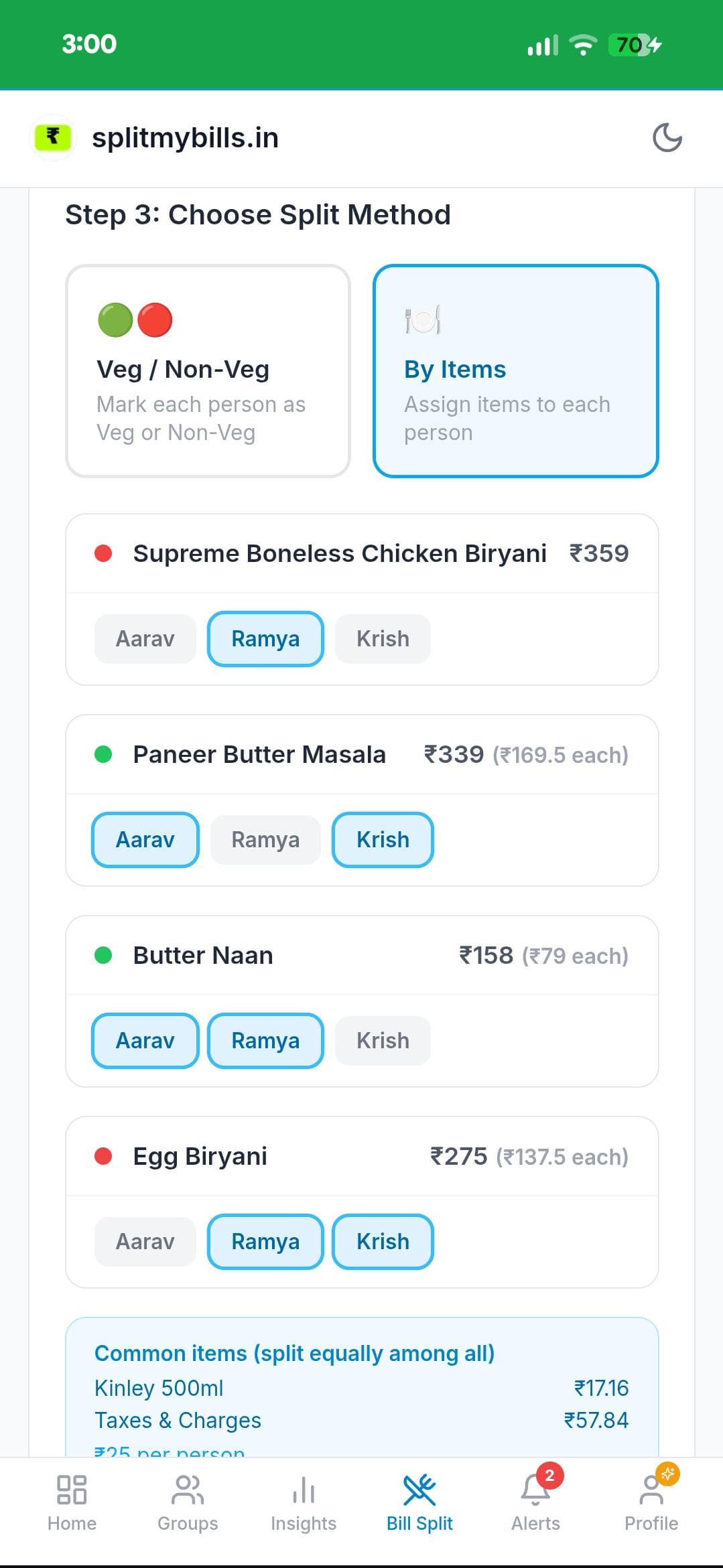
Assign every dish to exactly who ordered it. Shared plates — a Butter Naan for two — can go to multiple people and split equally among them. The most precise split when everyone ordered differently.
How it works
From restaurant to settled — in six easy steps
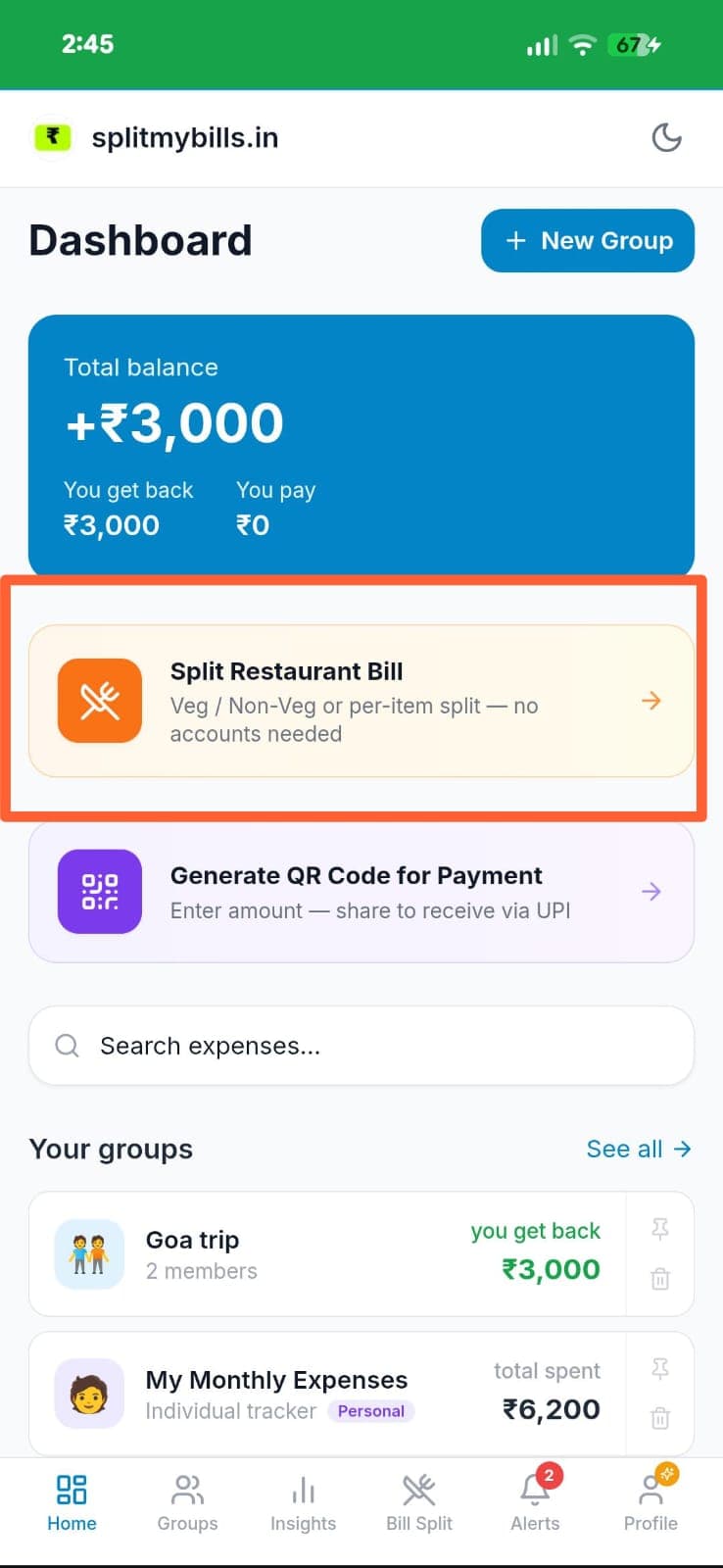
Tap "Split Restaurant Bill"
From the Dashboard, tap the Split Restaurant Bill card — Veg/Non-Veg or per-item, no accounts needed. Also on the Bill Split tab at the bottom.
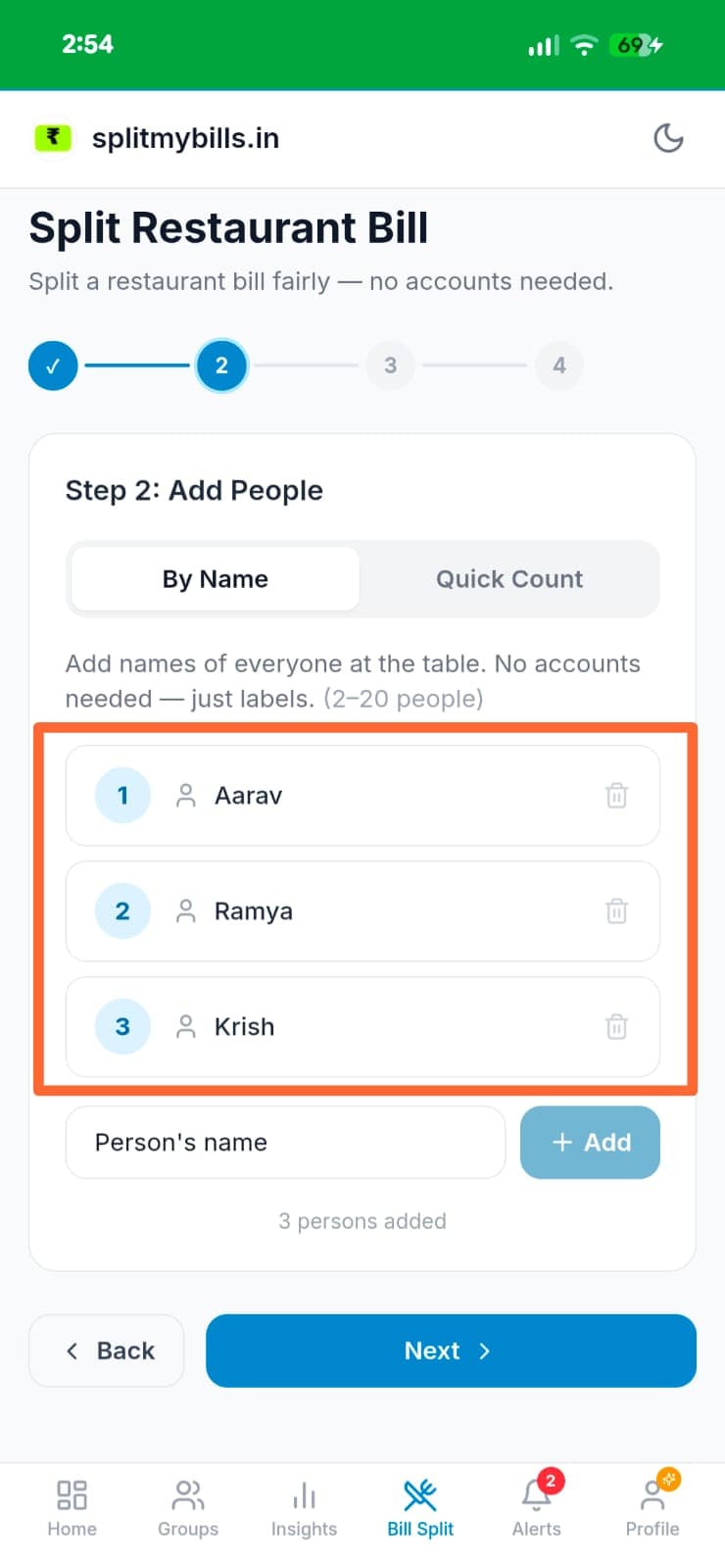
Add people at the table
Enter names in "By Name" mode (2–20 people) — names are just labels, no logins. For big tables, use "Quick Count" to enter headcount directly.
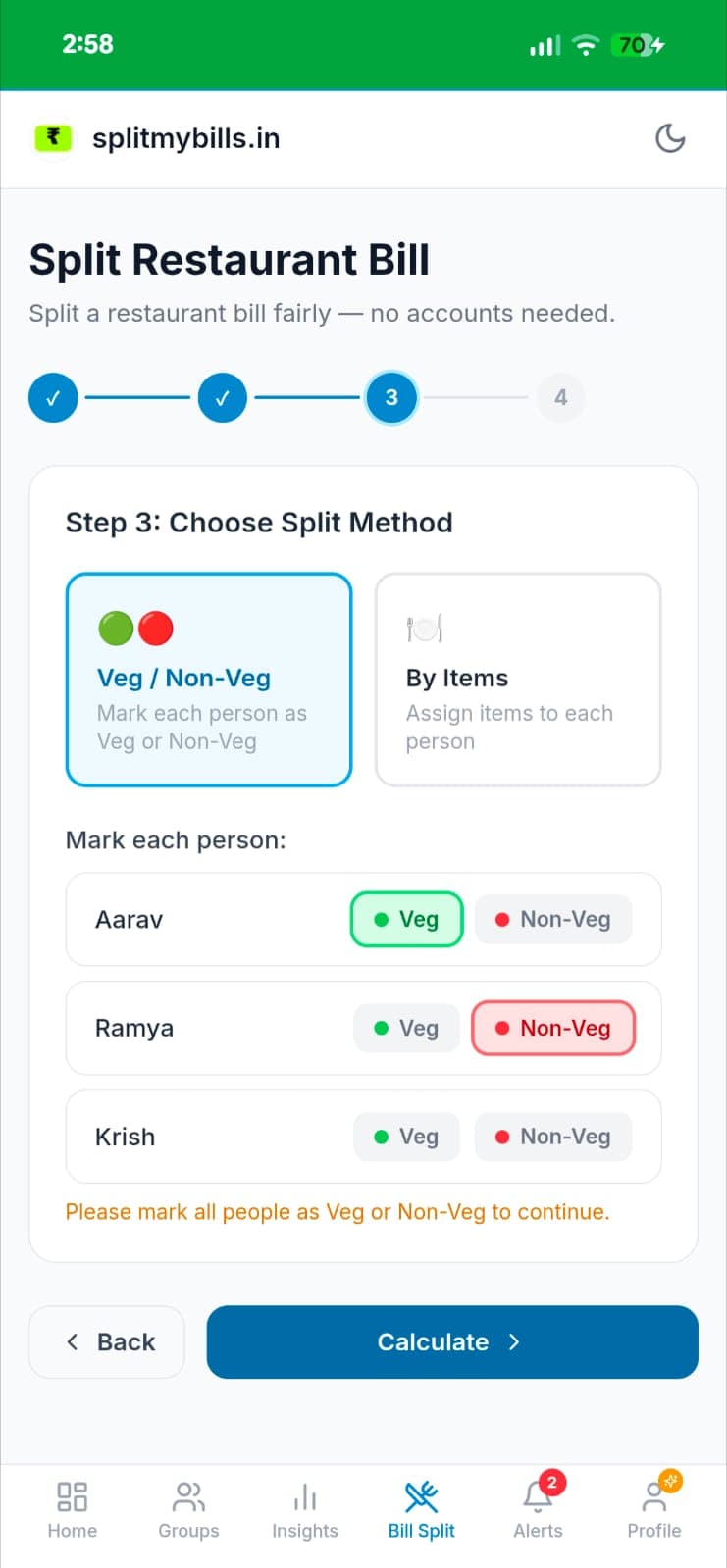
Choose Veg / Non-Veg
Select Veg/Non-Veg and mark each person. Veg items charge only veg diners, non-veg only non-veg, and common items split equally among all.
Or assign items per person
Switch to "By Items" to assign every dish to who ordered it. Shared items like Butter Naan can be assigned to multiple people and split equally.
Review the split result
A clean per-person breakdown — each person's dishes, their share of common items, and their total. The full bill total sits at the bottom as a sanity check.
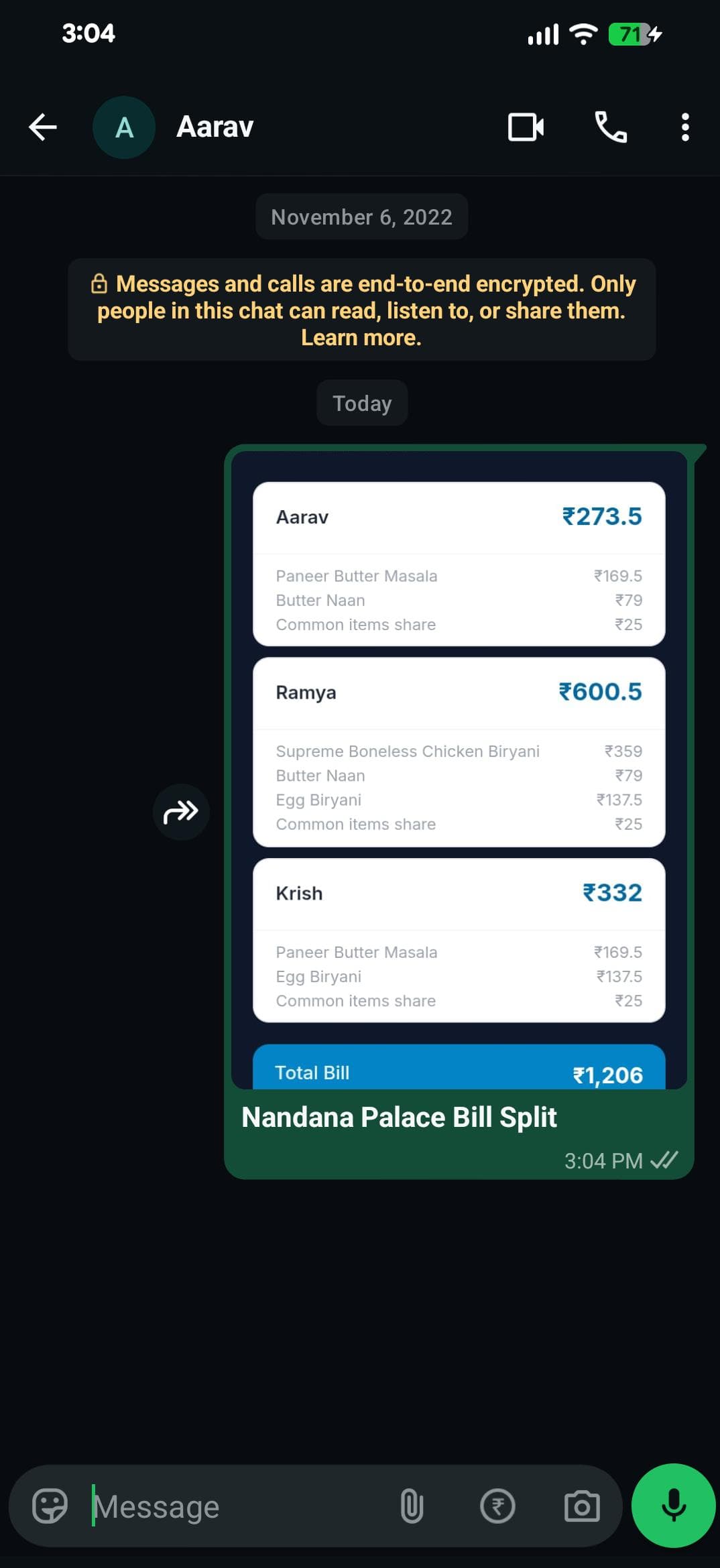
Share on WhatsApp
Tap Share on WhatsApp to send each person their exact share as a message — it lands right in their chat with no app download or login required.
Skip the typing — snap the bill and let AI load it
Instead of entering each dish, photograph the printed bill. The AI receipt scanner reads every line item, price, GST and service charge, and loads them in for you. Just review, assign to people, and split. It's the fastest way to handle a long bill at a big table.
See the AI receipt scanner →Why it's the best bill splitter for India
Fair by dish, not by headcount
Everyone pays for what they actually ordered. No more light eaters quietly subsidising the big spenders at the table.
Veg / Non-Veg mode
Built for Indian tables — veg dishes to veg diners, non-veg to non-veg, common items split equally. Nobody pays for food they can't eat.
No app needed for friends
Share each person's share on WhatsApp. They see their breakdown right in the chat — no download, no sign-up, no chasing.
AI reads the bill
Photograph the printed bill and every item, tax and service charge loads automatically. Review and split in seconds.
Any group size
From a table of 2 to a party of 20. Quick Count mode makes large groups effortless when everyone eats the same way.
Free forever
Manual bill splitting costs nothing — no account required to start. Add items, assign, and share at zero cost.
Made for real tables
🥗 The mixed veg / non-veg table
Problem: Half the group is vegetarian, the other half ordered kebabs and biryani — an equal split makes the veg diners pay for meat they never touched.
Solution: Veg/Non-Veg mode charges each dish to the right diners and splits only the common items. Everyone pays their honest share.
🏢 The office team dinner
Problem: Twelve colleagues, one long bill, and the person who paid is left chasing everyone for random amounts over the next week.
Solution: Scan the bill, assign items, and WhatsApp each person their exact share instantly. No spreadsheets, no follow-up messages.
💑 The friends' night out
Problem: One couple shared a starter and mains, another just had drinks — dividing it evenly always sparks a quiet grumble.
Solution: Assign every plate By Items, let shared dishes split among those who had them, and settle up fairly in under a minute.
Frequently asked questions
What is the best way to split a restaurant bill fairly?+
Split by what each person actually ordered instead of dividing equally. Assign every dish to who ate it, and shared items like drinks, taxes and service charge split equally. The person who had a soup no longer subsidises the table that ordered biryani and dessert.
Can I split a bill by veg and non-veg?+
Yes. Choose Veg/Non-Veg mode and mark each person. Veg dishes are charged only to veg diners, non-veg dishes to non-veg diners, and common items are split equally — the fairest option for mixed Indian tables.
Can I scan the bill instead of typing every item?+
Yes. Take a photo of the bill and the AI receipt scanner reads every line item, price, GST and service charge automatically, so the items load for you. Review, assign, and split — no manual typing. AI scanning is a Pro feature.
Do my friends need to download an app to see their share?+
No. You share via WhatsApp and each person sees their exact breakdown directly in the message — no login, no app, no friction.
What if someone ordered both a veg and a non-veg item?+
Use By Items mode — assign each dish to exactly the right person regardless of diet. Veg/Non-Veg mode is best when everyone orders consistently within their diet.
Is restaurant bill split free?+
Yes. Splitting a restaurant bill with manual item entry is completely free — add items, assign them, and share the result at no cost.
Explore more features
Stop splitting bills equally when it isn't equal
Free forever. Split your next restaurant bill fairly in under a minute.