UPI Settle Up
Pay with GPay, PhonePe, or Paytm in one tap — zero fees.
No more awkward payment requests. See exactly who owes what, tap Settle Up, and pay via UPI QR or a direct UPI link. The balance clears instantly for the whole group.
How it works
Three simple steps to settle any debt
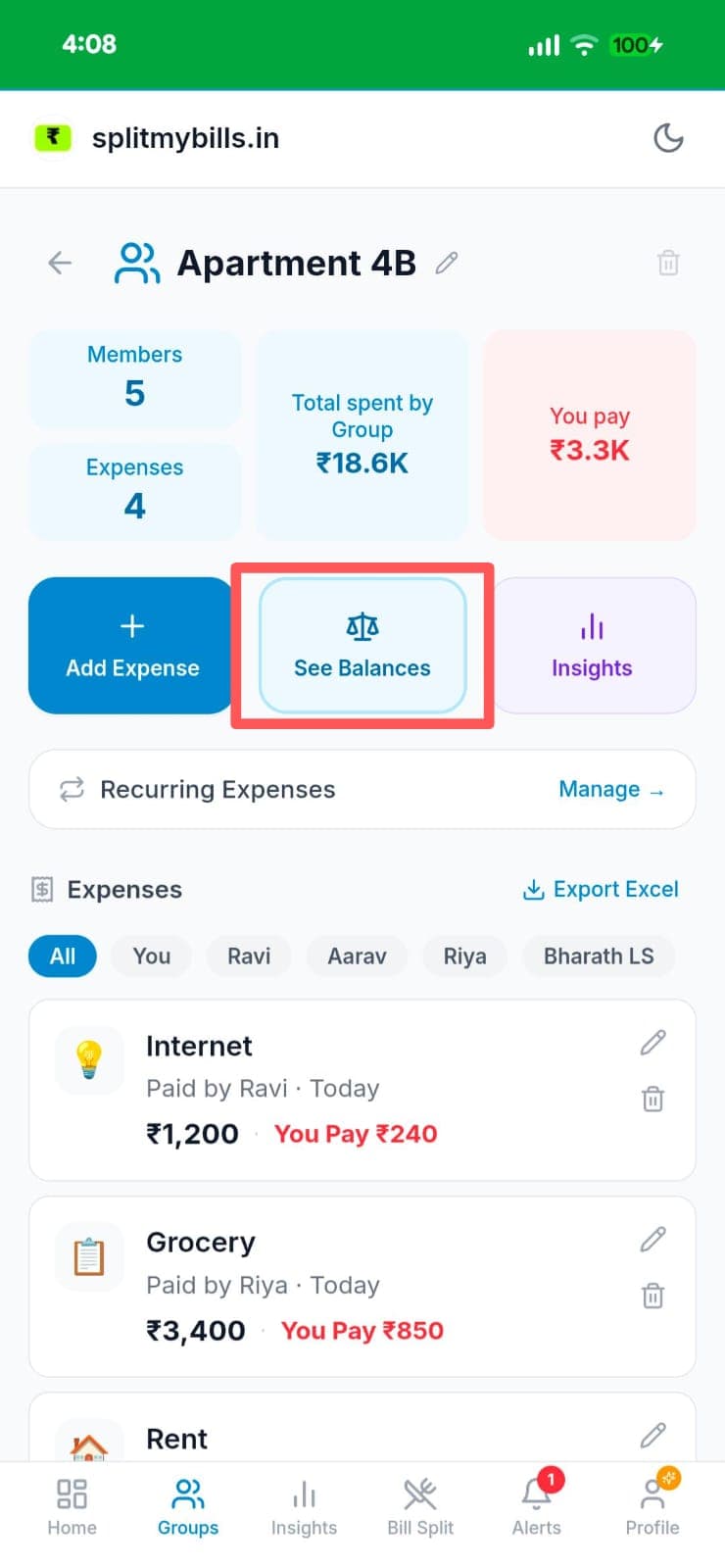
Open your group and tap "Settlements"
From your group page — like "Apartment 4B" with 5 members — you can see total group spend, your share, and individual expenses. Tap "Settlements" to view the full debt breakdown.
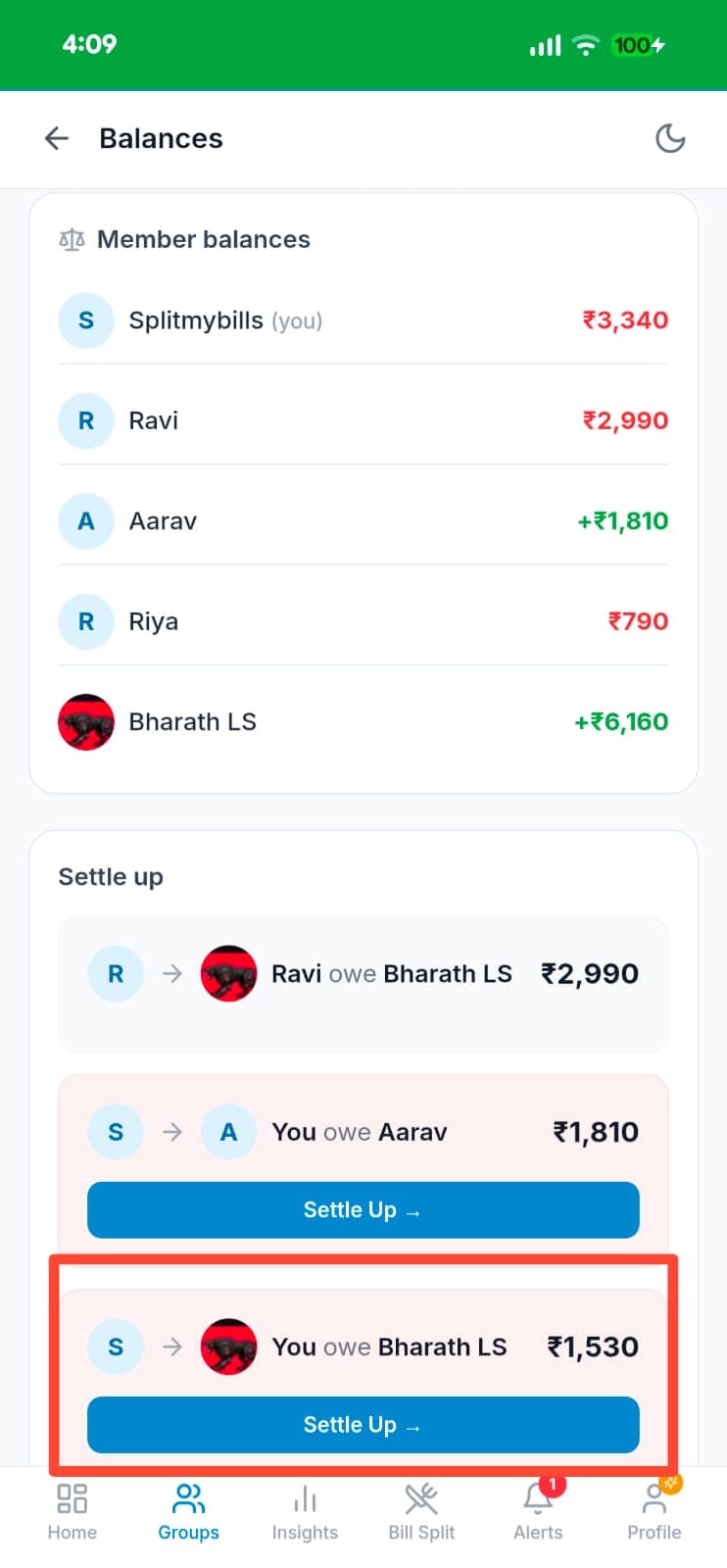
See who owes whom and tap "Settle Up"
The Balances page shows every member's net balance — green means they're owed, red means they owe. The Settle Up section lists the minimum transfers needed. Tap "Settle Up →" on the debt you want to clear.
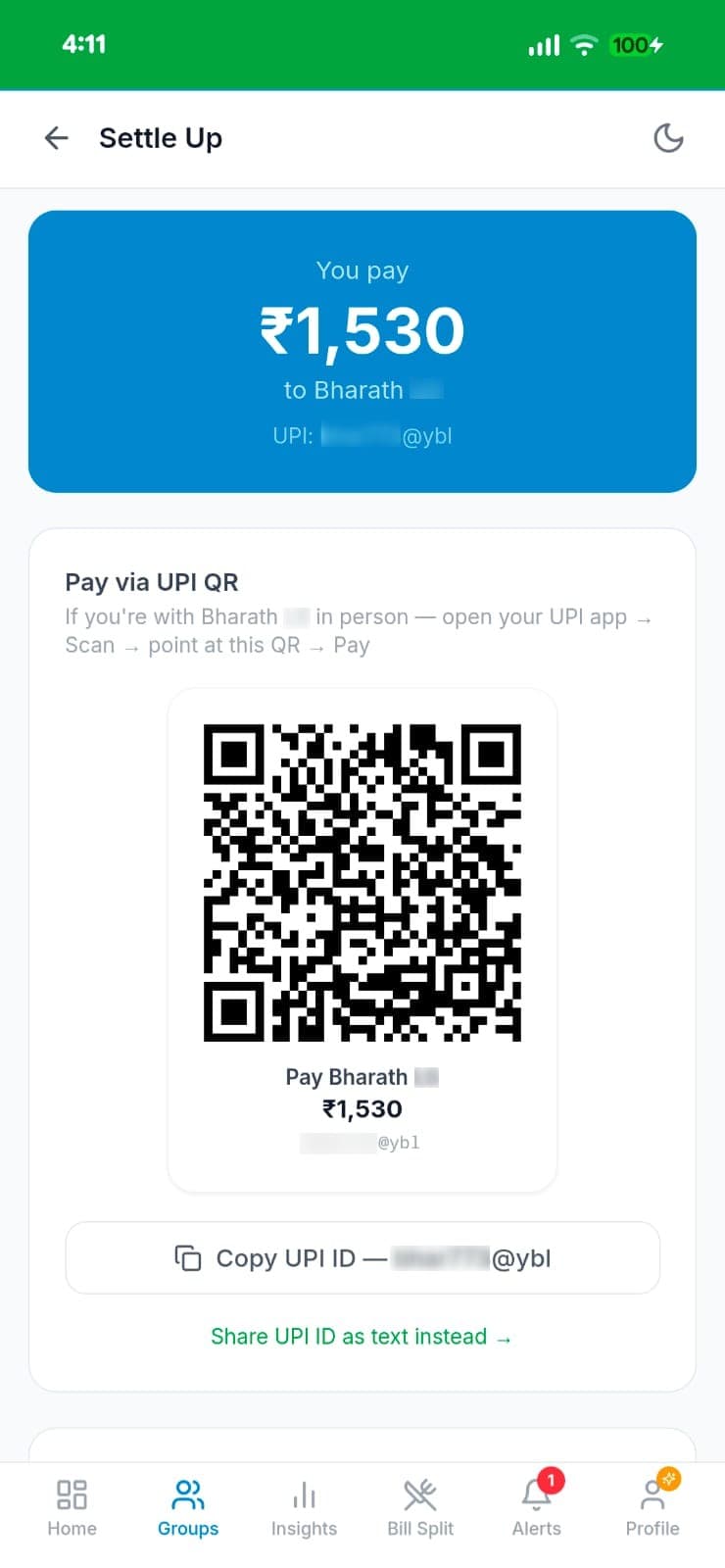
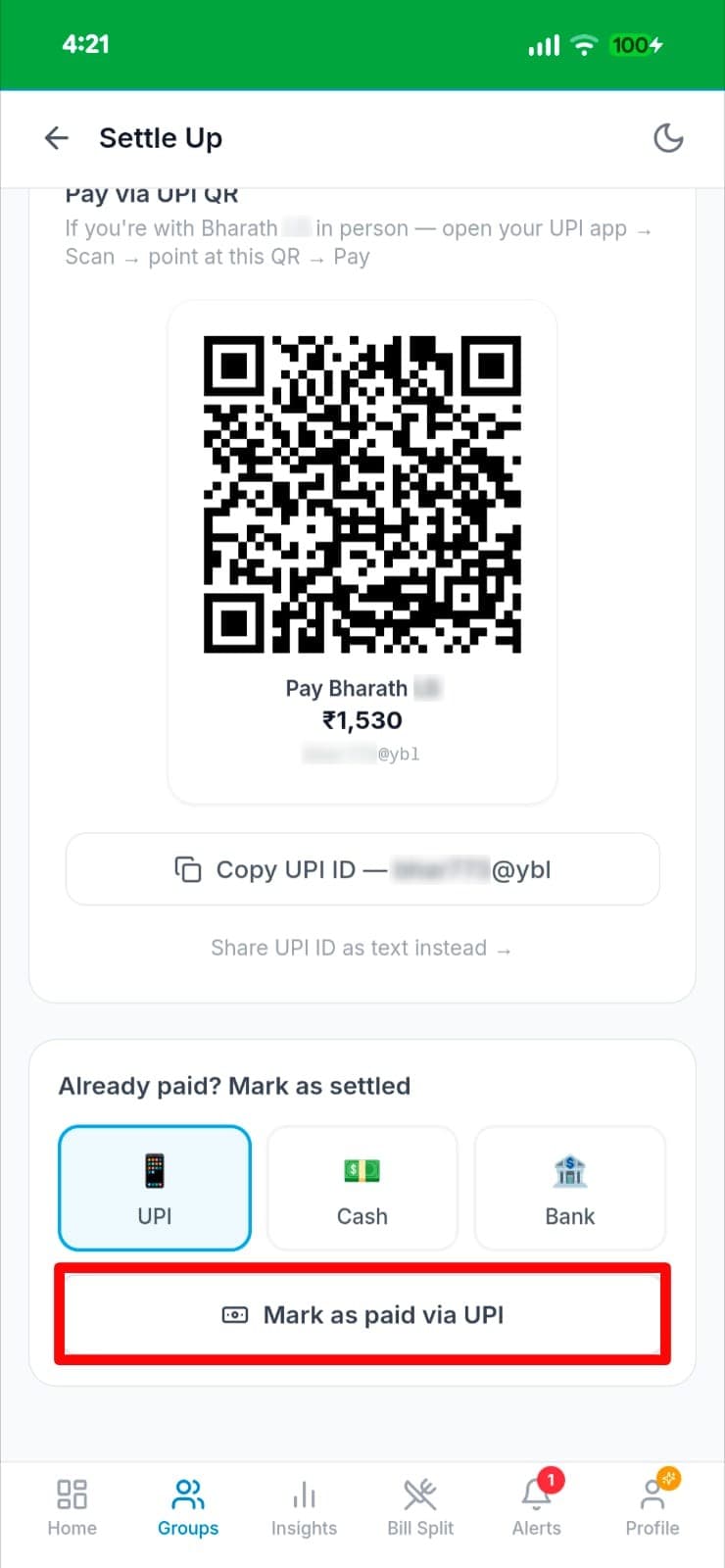
Pay via UPI QR or copy UPI ID, then mark as paid
Scan the UPI QR code with any app, or copy the UPI ID to pay manually. Once paid, select how you paid (UPI, Cash, or Bank transfer) and tap "Mark as paid" — the balance clears instantly for everyone.
Why you'll love it
- ✓UPI QR code — scan with any UPI app (GPay, PhonePe, Paytm) when you're with the person in real life.
- ✓Copy UPI ID — pay via any app at your own convenience, no QR scanning needed.
- ✓Zero fees — direct UPI transfer with no intermediary and no commission charged.
- ✓Flexible marking — record payments as UPI, Cash, or Bank transfer so every settlement is accounted for.
Frequently asked questions
Which UPI apps does this work with?+
GPay, PhonePe, Paytm, and any UPI-enabled banking app. Scan the QR code or copy the UPI ID — the payer uses whichever app they prefer.
Is the payment processed through splitmybills.in?+
No — we generate the UPI QR code and ID so you can pay directly. The money goes from your bank to the recipient's bank. We never touch your funds.
What if I paid in cash or via bank transfer?+
No problem — on the Settle Up screen, select Cash or Bank instead of UPI, then tap "Mark as paid". The balance clears the same way.
Is this free?+
Yes, UPI settle up is completely free with no usage limits.